Add Interactivity with State
In the Counter app, we introduced a core idea: . The UI is a function of state. When state changes, the UI updates automatically.
But look at the Die component right now. Its UI is determined by a prop, not state. The parent passes value={3}, and the Die renders three dots. So is the UI a function of props?
Not exactly. A component’s UI can depend on both props and state. In this case, the Die has no local state yet, so its UI is determined entirely by the props it receives from App. And where do those props come from? Usually from the parent component’s state. So the principle still holds: . The question is whose state drives the UI.
From Prop to State
Right now the Die displays whatever value the parent tells it to. But what if we want the die to be interactive? It should change when you click it. The parent is not going to update the value on every click (at least not yet). The Die needs to own its value and change it over time. That is what state is for.
Update src/components/Die.tsx:
import { useState } from "react"; // 👀 Import useState

const dotPositions: Record<number, number[]> = {
  1: [4],
  2: [2, 6],
  3: [2, 4, 6],
  4: [0, 2, 6, 8],
  5: [0, 2, 4, 6, 8],
  6: [0, 2, 3, 5, 6, 8],
};

interface DieProps {
  initialValue: number; // 👀 Renamed from value to initialValue
}

function Die({ initialValue }: DieProps) {
  const [value, setValue] = useState(initialValue); // 👀 State seeded by the prop

  const dots = dotPositions[value] ?? [];

  return (
    <button
      className="grid grid-cols-3 grid-rows-3 gap-2 rounded-xl bg-white p-4 shadow-lg transition-transform hover:scale-105 active:scale-95"
      style={{ width: "120px", height: "120px" }}
    >
      {Array.from({ length: 9 }).map((_, i) => (
        <div key={i} className="flex items-center justify-center">
          {dots.includes(i) && (
            <div className="h-5 w-5 rounded-full bg-gray-800" />
          )}
        </div>
      ))}
    </button>
  );
}

export default Die;
And update src/App.tsx to use the renamed prop:
import Die from "./components/Die";

function App() {
  return (
    <div className="flex min-h-screen flex-col items-center justify-center gap-8 bg-green-700">
      <h1 className="text-4xl font-bold text-white">Dice Roller</h1>
      <Die initialValue={3} /> {/* 👀 Renamed from value to initialValue */}
    </div>
  );
}

export default App;
Notice what is happening: useState(initialValue) uses the prop to set the starting value of the state. The prop seeds the state, and from that point on, the state is what drives the UI.
If you run the app now, it looks exactly the same as before — the die shows 3. That is because we have not added any way to change the state yet. Right now the state just mirrors the prop, making it redundant. Let’s fix that.
Making It Interactive
Add a click handler that rolls the die to a random value:
function Die({ initialValue }: DieProps) {
  const [value, setValue] = useState(initialValue);

  function roll() { // 👀 Add this
    setValue(Math.floor(Math.random() * 6) + 1);
  }

  const dots = dotPositions[value] ?? [];

  return (
    <button
      onClick={roll} // 👀 Add this
      className="grid grid-cols-3 grid-rows-3 gap-2 rounded-xl bg-white p-4 shadow-lg transition-transform hover:scale-105 active:scale-95"
      style={{ width: "120px", height: "120px" }}
    >
      {Array.from({ length: 9 }).map((_, i) => (
        <div key={i} className="flex items-center justify-center">
          {dots.includes(i) && (
            <div className="h-5 w-5 rounded-full bg-gray-800" />
          )}
        </div>
      ))}
    </button>
  );
}
This is the same useState + onClick pattern from the Counter. When you click the die, roll() calls setValue with a random number, React re-renders the component, and the die face updates.
Now the state changes independently of the prop. The die starts at initialValue, but as soon as you click it, the value comes from the state and no longer matches the prop.
Rendering Two Independent Dice
Update App.tsx to render two Die components side by side:
import Die from "./components/Die";

function App() {
  return (
    <div className="flex min-h-screen flex-col items-center justify-center gap-8 bg-green-700">
      <h1 className="text-4xl font-bold text-white">Dice Roller</h1>

      <div className="flex gap-6"> {/* 👀 Wrap dice in a flex container */}
        <Die initialValue={3} />
        <Die initialValue={5} /> {/* 👀 Add a second die */}
      </div>
    </div>
  );
}

export default App;
Run the app and click each die. You will see that each die rolls independently. Clicking the left die does not affect the right one.
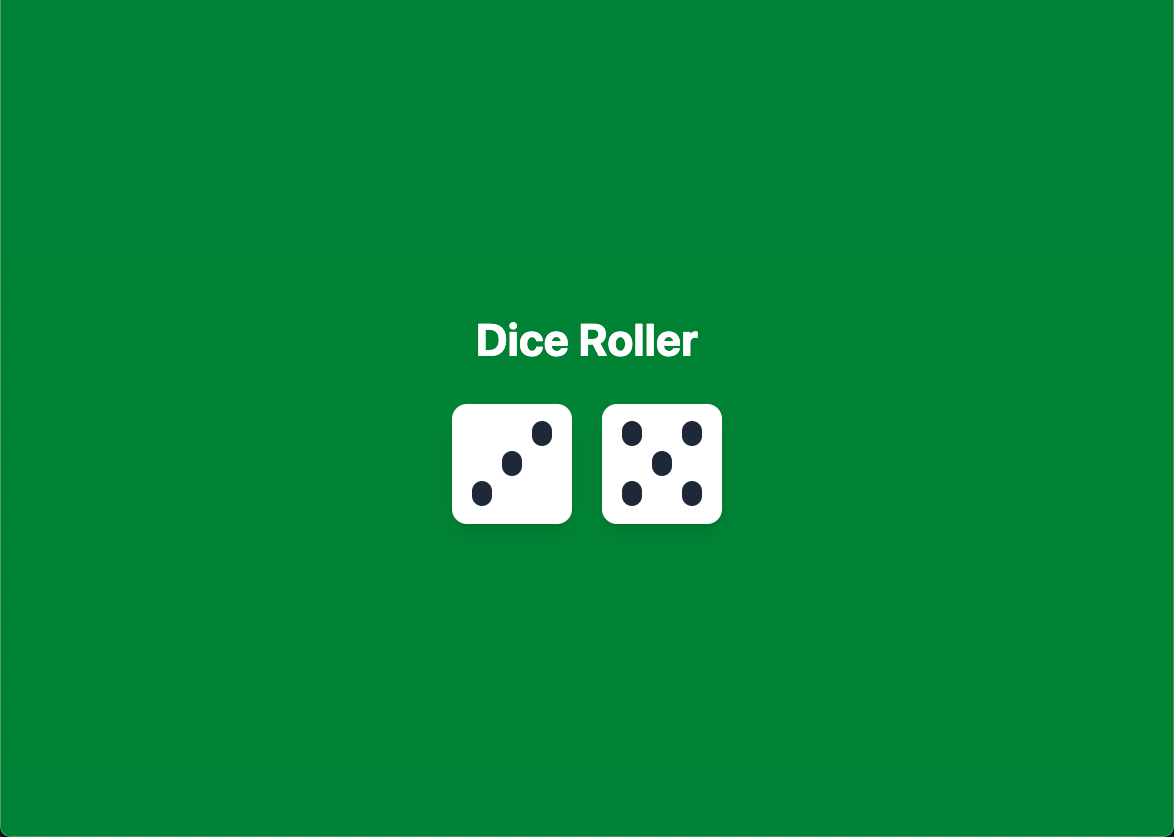
State Isolation
Each component instance has its own state. Even though both dice use the same Die component, they each have their own value variable. Calling setValue in one die does not affect the other.
A component definition can be reused to create multiple component instances. Each instance keeps its own separate state, independent of the others. That is why each <Die /> here has its own independent state.
State isolation is often exactly what you want. Each component manages its own state without interfering with the others. But consider two features we would like to add: a “Roll Both” button that rolls both dice at once, and a running total displayed below the dice. Both of these require App to know the current dice values. Right now App cannot know them, because the state lives inside each Die. In the next section, you will learn a pattern for handling this.
Checkpoint: Commit your progress.
git add .
git commit -m "dice-05: Add interactivity with useState"
git push