Deploying the Application
Building the App Locally
Before you can deploy your application, you have to “build” it. The build is the set of files a hosting service will serve to your users.
Stop the development server and run the following command:
pnpm build
The build command generates an optimized build of your web application, ready to be deployed. The generated artifacts are placed in the dist folder.
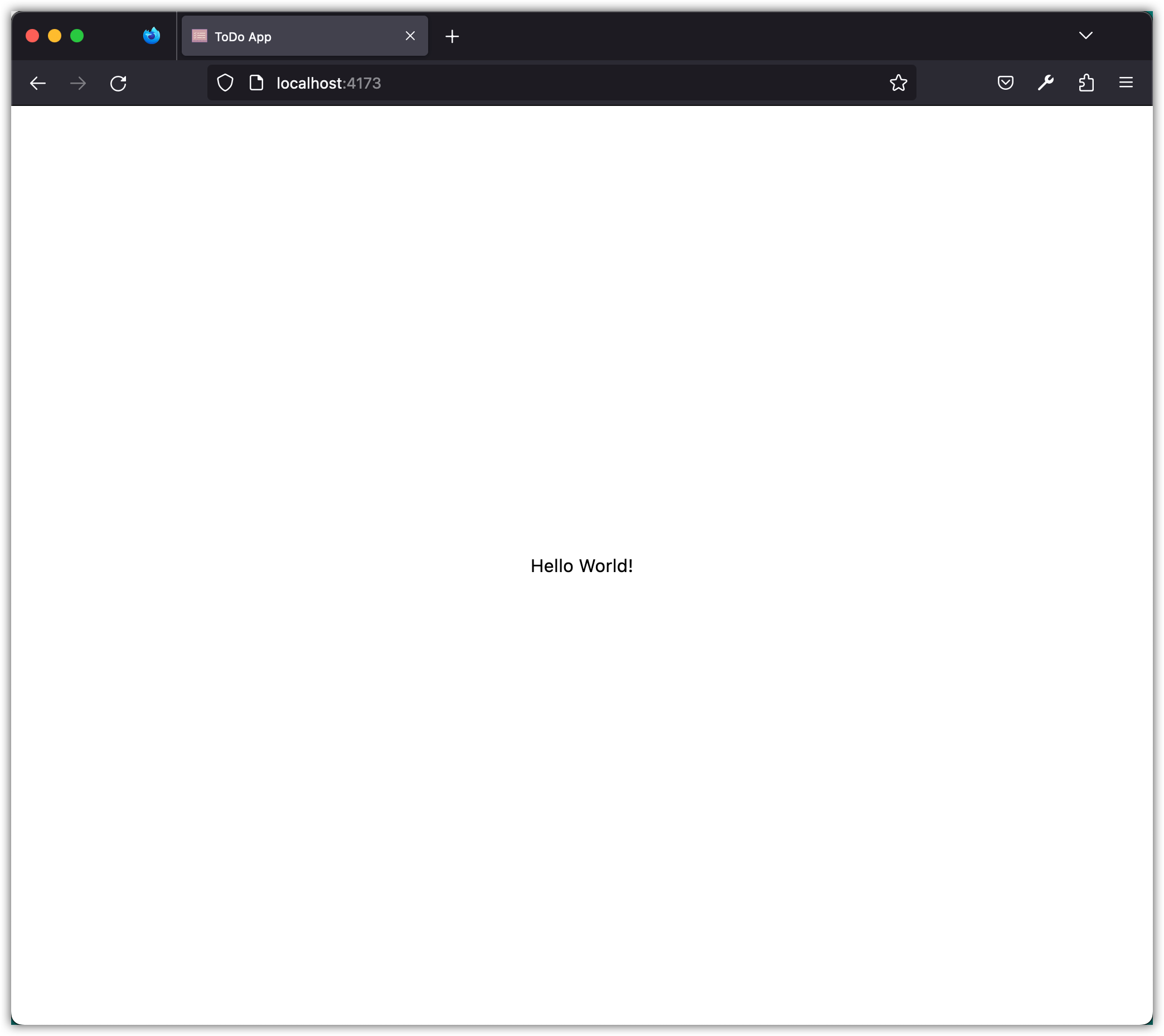
Open the dist folder and look at what is in it. To see the production version of the application, you can serve the dist folder locally with the following command:
pnpm preview
The production-ready app is served at http://localhost:4173/.
To deploy the application, the contents of the dist folder have to end up on a web server or hosting service. You can do that by hand, by copying the contents of the dist folder to the server, or by using a deployment tool like rsync or scp. Some hosting services, like GitHub Pages or Netlify, can also be set up to deploy the contents of the dist folder automatically when you push changes to the Git repository.
Deploying to GitHub Pages
We will deploy this app to GitHub Pages. Since you already have a Git repository (from cloning the template), you just need to configure deployment and push your changes.
First, update the vite.config.js file to include the base option for GitHub Pages. Add the base property to the existing configuration:
import { defineConfig } from "vite";
import tailwindcss from "@tailwindcss/vite";

export default defineConfig({
  plugins: [tailwindcss()],
  base: "/REPO_NAME/",
});
Next, create a .github folder. Add a subfolder workflows to .github. Finally, add a deploy.yml file to this subfolder with the following content:
name: Deploy Vite app to GitHub Pages

on:
  push:
    branches:
      - master

permissions:
  contents: read
  pages: write
  id-token: write

concurrency:
  group: "pages"
  cancel-in-progress: true

jobs:
  build:
    runs-on: ubuntu-latest
    steps:
      - name: Checkout
        uses: actions/checkout@v4

      - name: Install pnpm
        run: npm install -g pnpm

      - name: Setup Node
        uses: actions/setup-node@v4
        with:
          node-version: "20"
          cache: pnpm

      - name: Configure GitHub Pages
        uses: actions/configure-pages@v5

      - name: Install dependencies
        run: pnpm install

      - name: Build with Vite
        run: pnpm run build

      - name: Upload GitHub Pages artifact
        uses: actions/upload-pages-artifact@v3
        with:
          path: ./dist

  deploy:
    environment:
      name: github-pages
      url: ${{ steps.deployment.outputs.page_url }}
    runs-on: ubuntu-latest
    needs: build
    steps:
      - name: Deploy GitHub Pages site
        id: deployment
        uses: actions/deploy-pages@v4
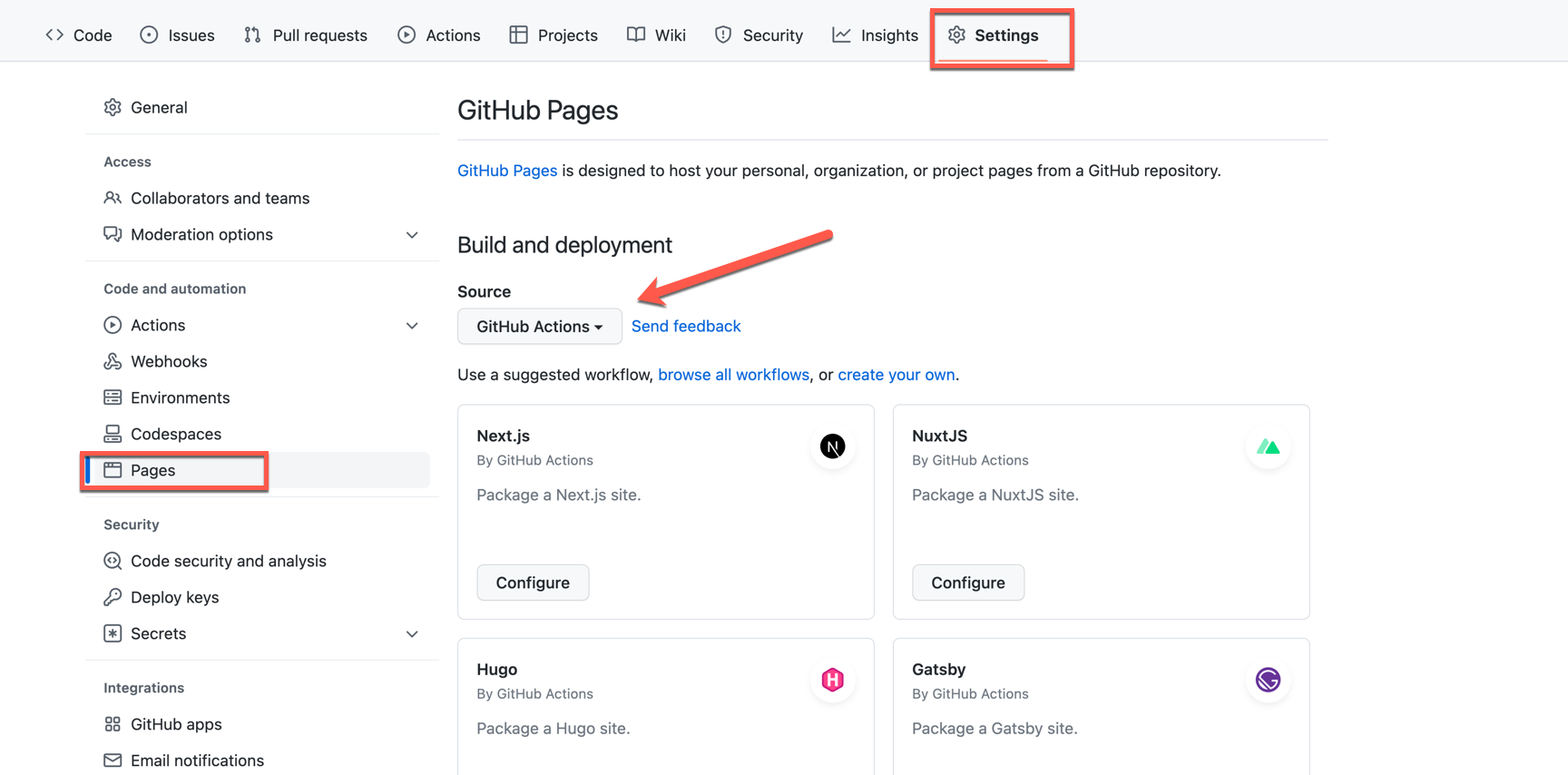
Before pushing these changes to GitHub, update the settings of your GitHub repository to use “GitHub Action” for deploying the app to GitHub Pages.
Push your code to the GitHub repository. This starts a build, and the build deploys your app. From now on, every time you change your code on the master branch and push those changes to GitHub, the new version of the app is deployed automatically.
Checkpoint: Commit your progress.
git add .
git commit -m "todos-03: Configure GitHub Pages deployment"
git push