Play APPLE Against SPEED
The last section walked through the codebase. This section has you play the game. Make sure the dev server is running:
pnpm dev
Open the app in your browser if it is not already. You will see a board with six empty rows and an on-screen keyboard underneath.
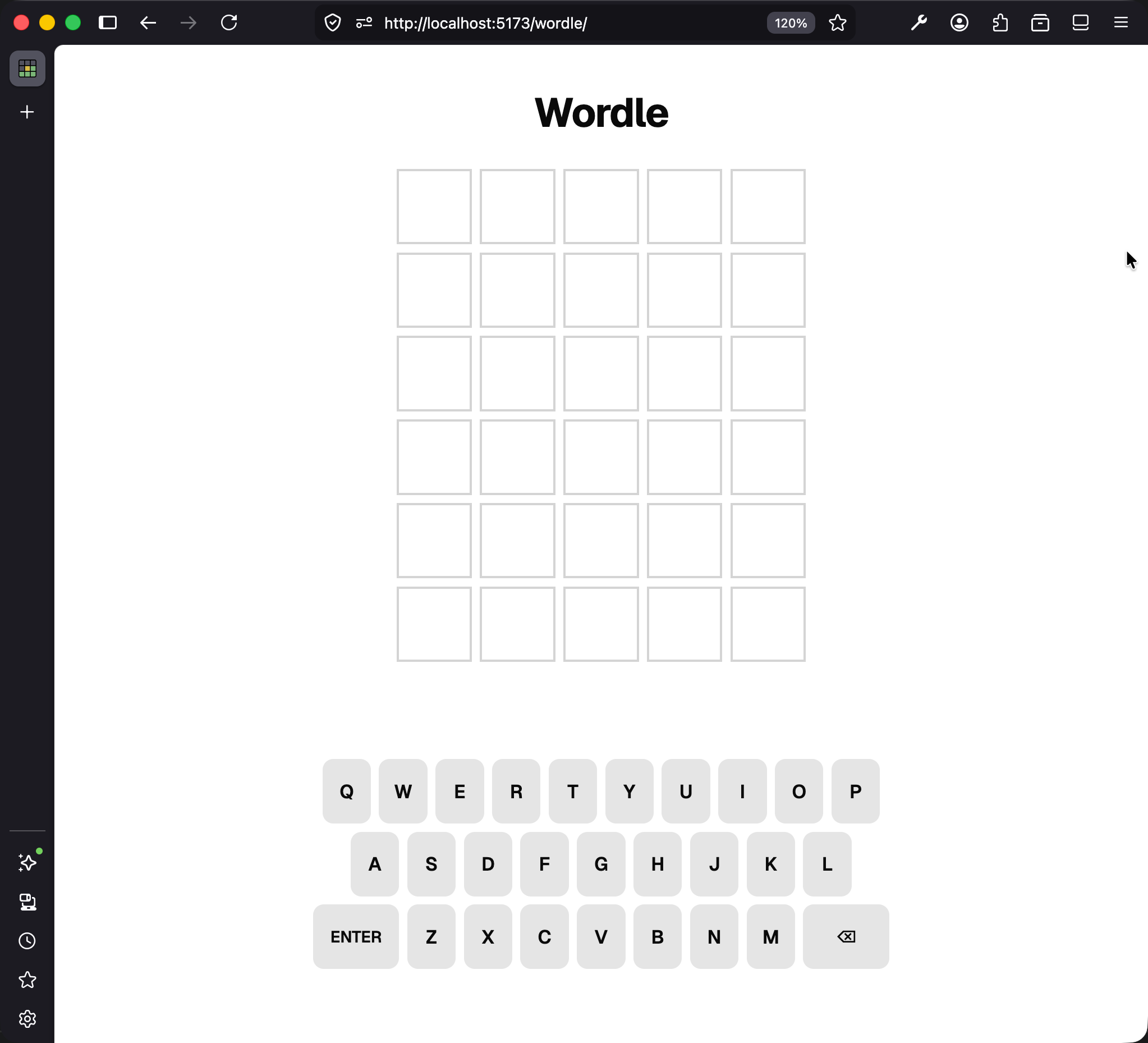
You can type with your physical keyboard or click the on-screen keys.
What Wordle Is
If you have never played Wordle, the premise is simple. There is a hidden five-letter word, and you have six tries to guess it. You type a five-letter guess, press Enter, and the game colors each letter of your guess to tell you how close it was to the target. You use those colors to narrow down what the target could be, and you keep guessing until you either guess the word correctly or run out of rows.
The coloring follows three rules. After each guess, Wordle marks every letter according to how it compares against the target word:
- Green: The letter is in the target and at the right position.
- Yellow: The letter is in the target but at a different position.
- Gray: The letter is not in the target at all.
Play a Guess With No Repeated Letters
The starter initializes with SPEED as the target every time the page loads. (You can verify this in src/lib/words.ts: STARTER_WORD = "SPEED".) Refresh the page if you have already played a round; the target resets to SPEED.
Type PLEAD, which is five letters, using your physical keyboard or clicking the on-screen keys. Then press Enter (or click the on-screen ENTER key) to submit.
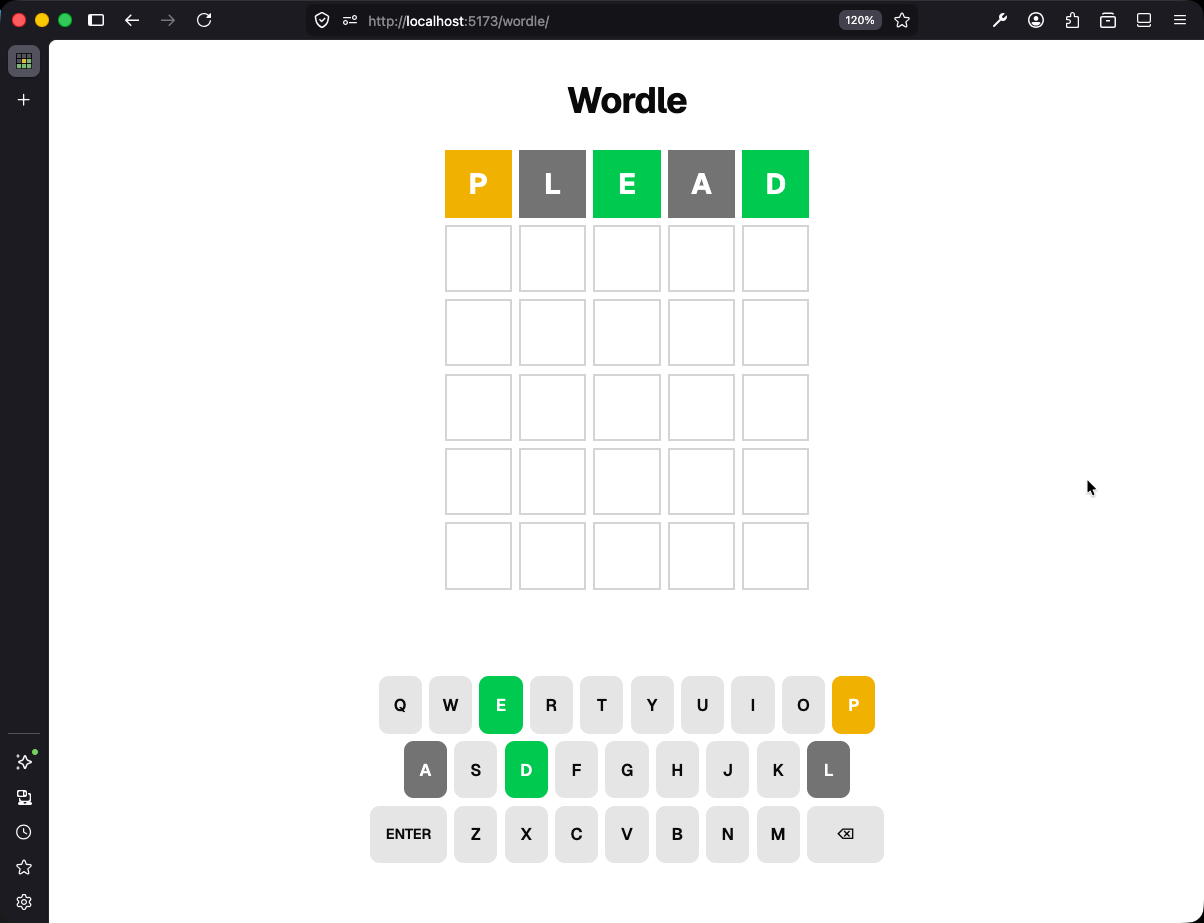
Read the tiles against SPEED left to right:
- P is yellow:
SPEEDhas a P, but at position 1, not position 0 where we put it. - L is gray:
SPEEDhas no L. - E is green:
SPEEDhas an E at position 2, and that is where our E landed. - A is gray:
SPEEDhas no A. - D is green:
SPEEDhas a D at position 4, and that is where our D landed.
Every tile matches what the rules predict. The game is coloring correctly, at least in this case.
Play a Guess With a Repeated Letter
There is one more rule we skipped over, because it only matters when your guess contains the same letter more than once. Each letter in the target can only be “claimed” once. If the target is SPEED (which has one P) and you guess a word with two Ps, only one of your Ps can turn green; the other should be gray, because there is not a second P in the target to match it against.
Refresh the page to reset the board, then type APPLE and press Enter.
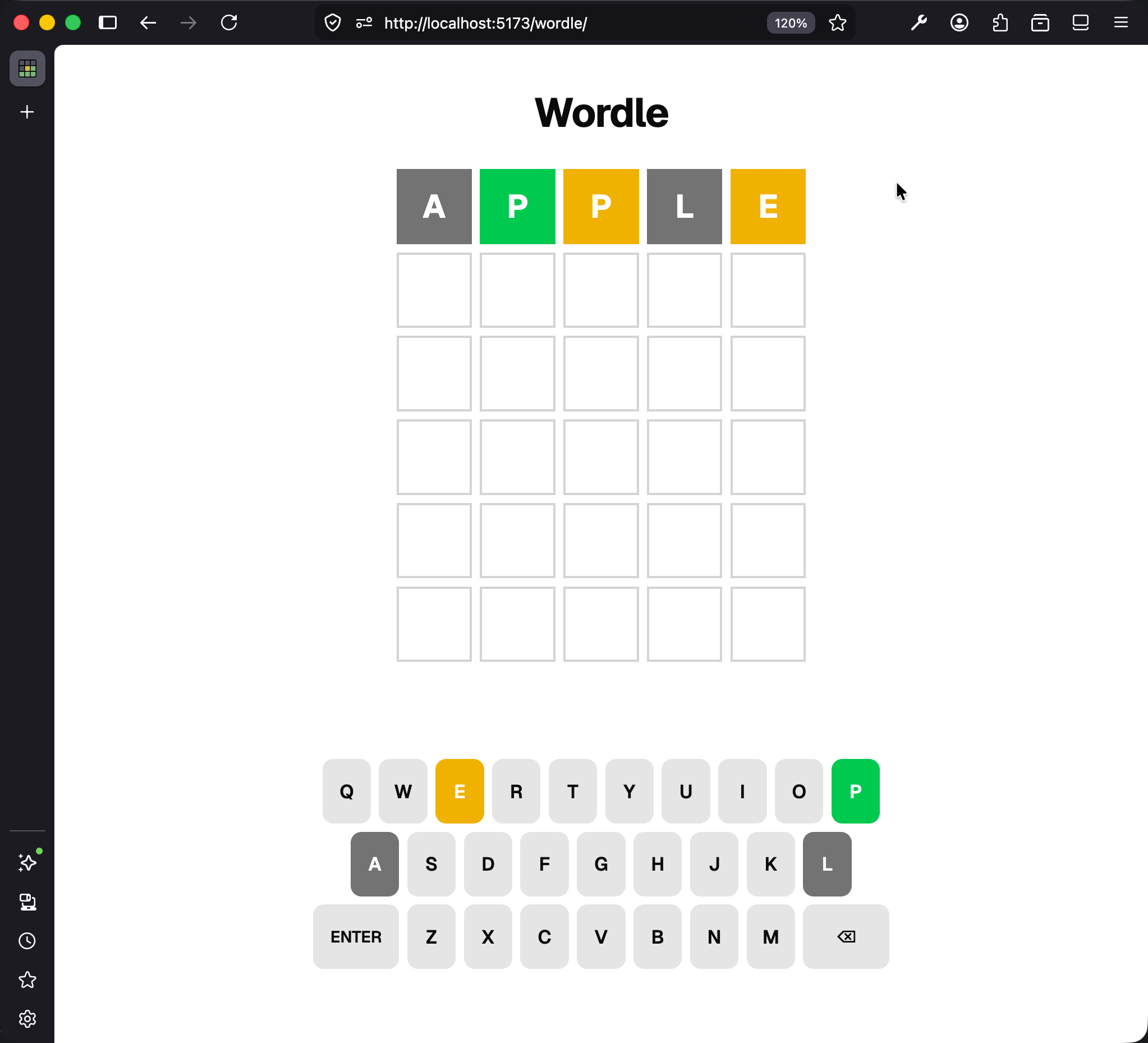
Three tiles are easy to read:
- A is gray:
SPEEDhas no A. Correct. - L is gray:
SPEEDhas no L. Correct. - E is yellow:
SPEEDhas an E in it (two of them, in fact), and you put yours at a position where there is not one. Correct.
The two Ps show a different result:
- The first P is green:
SPEEDhas a P at position 1, and your guess put a P at position 1. Correct. - The second P is yellow.
By the rule we just stated, that second P should be gray. There is only one P in SPEED, and the first P already claimed it. There is nothing left for the second P to match against. So the game is showing a color that contradicts its own rules.
Do not fix anything yet. Do not even open the code. Just remember what we saw: the game has a bug, and we can reproduce it whenever we want.