Include Add Kudo Form on the Board Detail Page
The previous section implemented the add kudo form as a controlled component. This section adds that form to the board detail page and implements the logic for adding new kudos to the board.
We need to add state for the kudos list so the form can add to it. Update src/routes/boards.$boardId.tsx:
import { createFileRoute } from "@tanstack/react-router";
import { INITIAL_BOARDS } from "@/data/boards";
import type { Kudo } from "@/data/types";
import { Card, CardContent } from "@/components/ui/card";
import { useState } from "react"; // 👀
import AddKudoForm from "@/components/add-kudo-form"; // 👀

export const Route = createFileRoute("/boards/$boardId")({
  component: BoardPage,
});

function BoardPage() {
  const { boardId } = Route.useParams();
  const board = INITIAL_BOARDS.find((b) => b.id === boardId);

  const [kudos, setKudos] = useState<Kudo[]>(board?.kudos ?? []); // 👀

  if (!board) {
    return (
      <div className="text-center">
        <h1 className="mb-2 text-2xl font-bold">Board not found</h1>
        <p className="text-muted-foreground">
          The board you're looking for doesn't exist.
        </p>
      </div>
    );
  }

  // 👀 handle adding kudo
  function handleAddKudo(kudo: Kudo) {
    setKudos((prev) => [...prev, kudo]);
  }

  // ...
}
Why we spread into a new array
Look at the handleAddKudo function above. It may seem odd that we create an entirely new array ([...prev, kudo]) instead of just pushing onto the existing one. You might be tempted to write:
// ❌ Wrong — does not trigger a re-render
function handleAddKudo(kudo: Kudo) {
  kudos.push(kudo);
  setKudos(kudos);
}
This mutates the existing array and passes the same reference back to the setter. React compares state values by reference (===). Since the array reference has not changed, React assumes nothing is different and skips the re-render even though the array’s contents have changed. The new kudo is in the array, but the UI never updates to show it.
By spreading into a new array, we create a new reference:
// ✅ Correct — new array, new reference, React re-renders
setKudos((prev) => [...prev, kudo]);
React detects a different reference, treats the state as changed, and re-renders the component with the updated list.
This is a fundamental rule in React: treat state as immutable. Never mutate arrays or objects that are held in state. Always create a new copy with the changes applied.
Notice we also use the functional update form, the callback (prev) => ..., instead of referencing kudos directly. This guarantees we are working with the latest state value, which matters when React batches multiple updates together. It is a good habit to use this form whenever the new state depends on the previous state.
function BoardPage() {
  // ... (same as before up to handleAddKudo)

  return (
    <div>
      <h1 className="mb-2 text-3xl font-bold">{board.title}</h1>
      <p className="mb-6 text-muted-foreground">{board.description}</p>
      <AddKudoForm onAdd={handleAddKudo} /> {/* 👀 */}
      {/* 👀 use kudos instead of board.kudos */}
      {kudos.length === 0 ? (
        <p className="text-muted-foreground">
          No kudos yet. Be the first to add one!
        </p>
      ) : (
        <div className="grid gap-4 sm:grid-cols-2 lg:grid-cols-3">
          {kudos.map((kudo) => (
            <KudoCard key={kudo.id} kudo={kudo} />
          ))}
        </div>
      )}
    </div>
  );
}

function KudoCard({ kudo }: { kudo: Kudo }) {
  // ... same as before
}
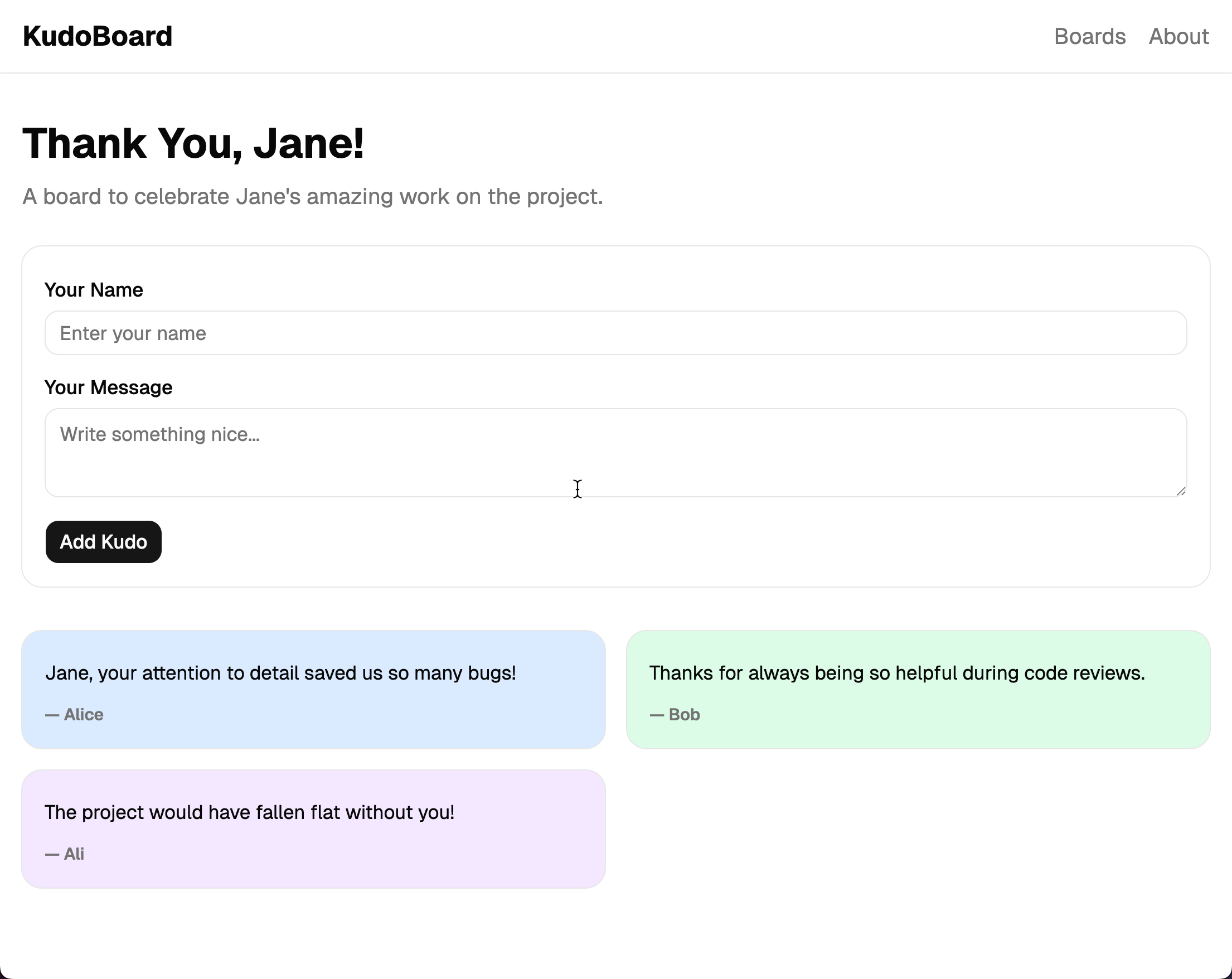
Try it out: navigate to a board, type a name and message, and click “Add Kudo”. A new colored card appears, and the form clears.
Checkpoint: Commit your progress.
git add .
git commit -m "kudoboard-08: Include Add Kudo Form on the Board Detail Page and manage kudos state locally"
git push