Reviewing the Starter
Let’s review the starter code to understand its structure before we write the missing parts. You should have already cloned the repository, installed dependencies, and started the dev server.
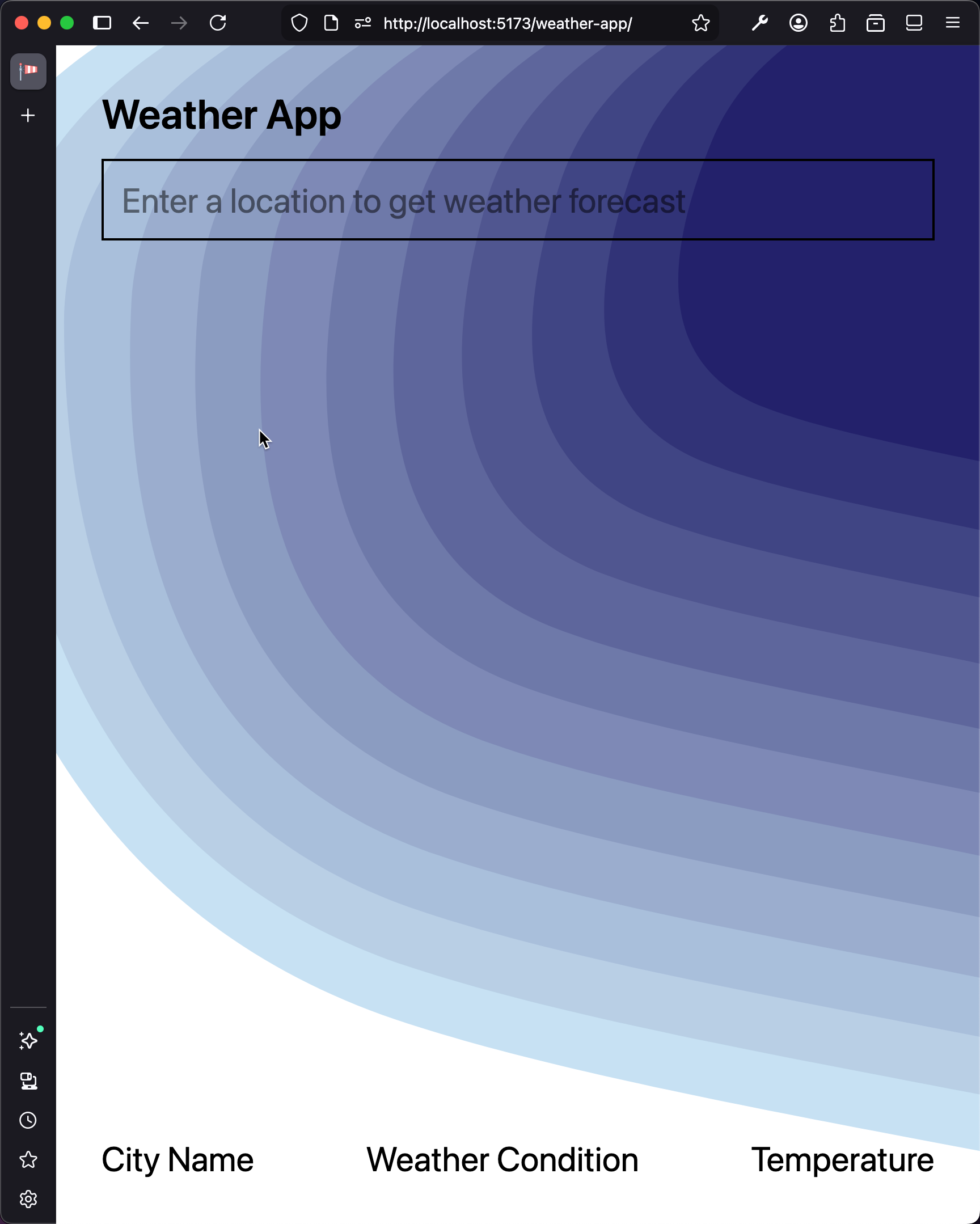
Reviewing the Layout
The layout and styling have been provided. Open the style.css file:
@import "tailwindcss";

body {
  background: url(/background.svg) no-repeat center center fixed;
  -webkit-background-size: cover;
  -moz-background-size: cover;
  -o-background-size: cover;
  background-size: cover;
}
We use Tailwind CSS for styling, which is imported at the top. The body selector applies a background image that covers the entire viewport. The background image is in the public folder, which is the default location for static assets in a Vite project.
Open the index.html file and note the layout:
<div class="flex flex-col justify-between h-screen p-10 text-3xl">
  <header class="flex flex-col w-full gap-5">
    <h1 class="text-4xl font-semibold">Weather App</h1>
    <form id="search">
      <input
        id="city"
        name="city"
        class="w-full p-4 border-2"
        type="text"
        placeholder="Enter a location to get weather forecast"
      />
    </form>
  </header>
  <footer class="flex justify-between">
    <div id="name" class="">City Name</div>
    <div id="condition" class="">Weather Condition</div>
    <div id="temperature" class="">Temperature</div>
  </footer>
</div>
Tracing the Starter Logic
Open the src/main.js file. Let’s trace through the starter code.
First, we import the CSS and define the base URLs for the Open-Meteo API endpoints:
import "./style.css";

const GEOCODING_URL = "https://geocoding-api.open-meteo.com/v1/search";
const FORECAST_URL = "https://api.open-meteo.com/v1/forecast";
The getWeatherForecast function handles form submission. It prevents the default page reload, reads the city name from the input, and logs the city name to the console:
function getWeatherForecast(event) {
  event.preventDefault();
  const city = document.getElementById("city").value.trim();
  document.getElementById("city").value = "";
  console.log(city);
}
Notice that this function is defined but never called. We need to connect it as the event handler for the search form. But first, let’s learn about how the web works and explore the API we will be using.