Displaying Kudo Boards on the Home Page
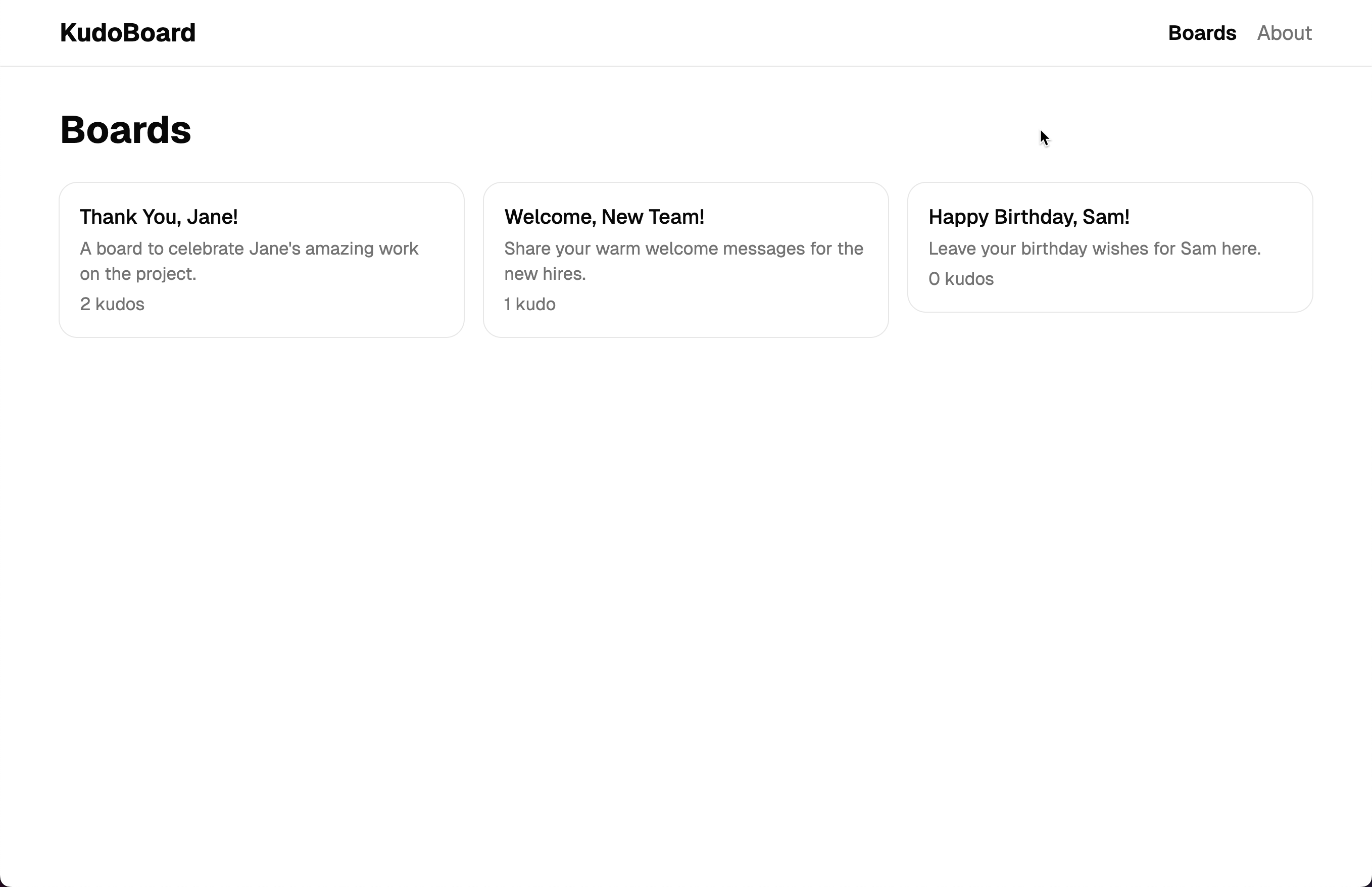
Now that we have our data types and sample boards, let’s display them on the home page. We will create a card for each board that shows its title, description, and the number of kudos it has. Clicking on a card will take us to the board’s detail page (which we will build in the next step).
Install shadcn components
We will need a few more shadcn components for the UI. Install them:
pnpm dlx shadcn@latest add card input textarea label
Update the home page
Update src/routes/index.tsx to display the boards as clickable cards:
import { createFileRoute, Link } from "@tanstack/react-router";
import { INITIAL_BOARDS } from "@/data/boards";
import {
  Card,
  CardDescription,
  CardHeader,
  CardTitle,
} from "@/components/ui/card";

export const Route = createFileRoute("/")({
  component: HomePage,
});

function HomePage() {
  const boards = INITIAL_BOARDS;

  return (
    <div>
      <h1 className="mb-6 text-3xl font-bold">Boards</h1>
      <div className="grid gap-4 sm:grid-cols-2 lg:grid-cols-3">
        {boards.map((board) => (
          <Link
            key={board.id}
            to="/boards/$boardId"  // 👀 Dynamic route parameter
            params={{ boardId: board.id }}  // 👀 Pass the board ID
          >
            <Card className="transition-shadow hover:shadow-md">
              <CardHeader>
                <CardTitle>{board.title}</CardTitle>
                <CardDescription>{board.description}</CardDescription>
                <p className="text-sm text-muted-foreground">
                  {board.kudos.length}{" "}
                  {board.kudos.length === 1 ? "kudo" : "kudos"}
                </p>
              </CardHeader>
            </Card>
          </Link>
        ))}
      </div>
    </div>
  );
}
Notice the <Link> uses to="/boards/$boardId" with a params prop. The $boardId is a dynamic path parameter. It is a placeholder in the URL that changes for each board. TanStack Router is type-safe here: if you misspell the param name or forget to pass it, TypeScript catches it at compile time.
Run the app and you should see the list of boards on the home page. Clicking on a board takes you to a 404 page at the moment, since we have not created the board detail route yet.
Checkpoint: Commit your progress.
git add .
git commit -m "kudoboard-05: Display kudo boards on the home page with dynamic links"
git push