Steering with Keyboard Events
The snake moves, but we cannot control it. Let’s add keyboard input so the player can steer using the arrow keys.
Listening for Key Presses
Add a keydown event listener above the gameLoop function:
document.addEventListener("keydown", (e) => {
  switch (e.key) {
    case "ArrowUp":
      if (direction.y === 0) direction = { x: 0, y: -1 };
      break;
    case "ArrowDown":
      if (direction.y === 0) direction = { x: 0, y: 1 };
      break;
    case "ArrowLeft":
      if (direction.x === 0) direction = { x: -1, y: 0 };
      break;
    case "ArrowRight":
      if (direction.x === 0) direction = { x: 1, y: 0 };
      break;
  }
});
We attach the listener to document rather than a specific element because we want to capture key presses regardless of what is focused on the page.
The e.key property gives us a readable string like "ArrowUp" or "ArrowLeft". We use a switch statement to map each arrow key to the corresponding direction vector.
Preventing Reverse
Notice the guard conditions: if (direction.y === 0) and if (direction.x === 0). These prevent the snake from reversing into itself:
- If the snake is moving right (
{ x: 1, y: 0 }), pressing Left would set the direction to{ x: -1, y: 0 }. The head would move directly into the second segment. That is an instant collision. - The guard
if (direction.x === 0)ensures we only accept Left/Right presses when the snake is currently moving vertically (and vice versa).
This is the usual rule in Snake: the snake can turn 90 degrees, but it cannot turn 180 degrees.
Guarding Against Out-of-Bounds Indices
You may also want to update the draw function to guard against out-of-bounds indices. Since we do not have collision detection yet, the snake can still slide off the edge:
  snake.forEach((segment, index) => {
    const cellIndex = segment.y * GRID_SIZE + segment.x;
+   if (cellIndex >= 0 && cellIndex < cells.length) {
      cells[cellIndex].classList.add("snake");
      if (index === 0) {
        cells[cellIndex].classList.add("snake-head");
      }
+   }
  });
This prevents console errors when the snake leaves the grid. We will replace this with proper collision detection soon.
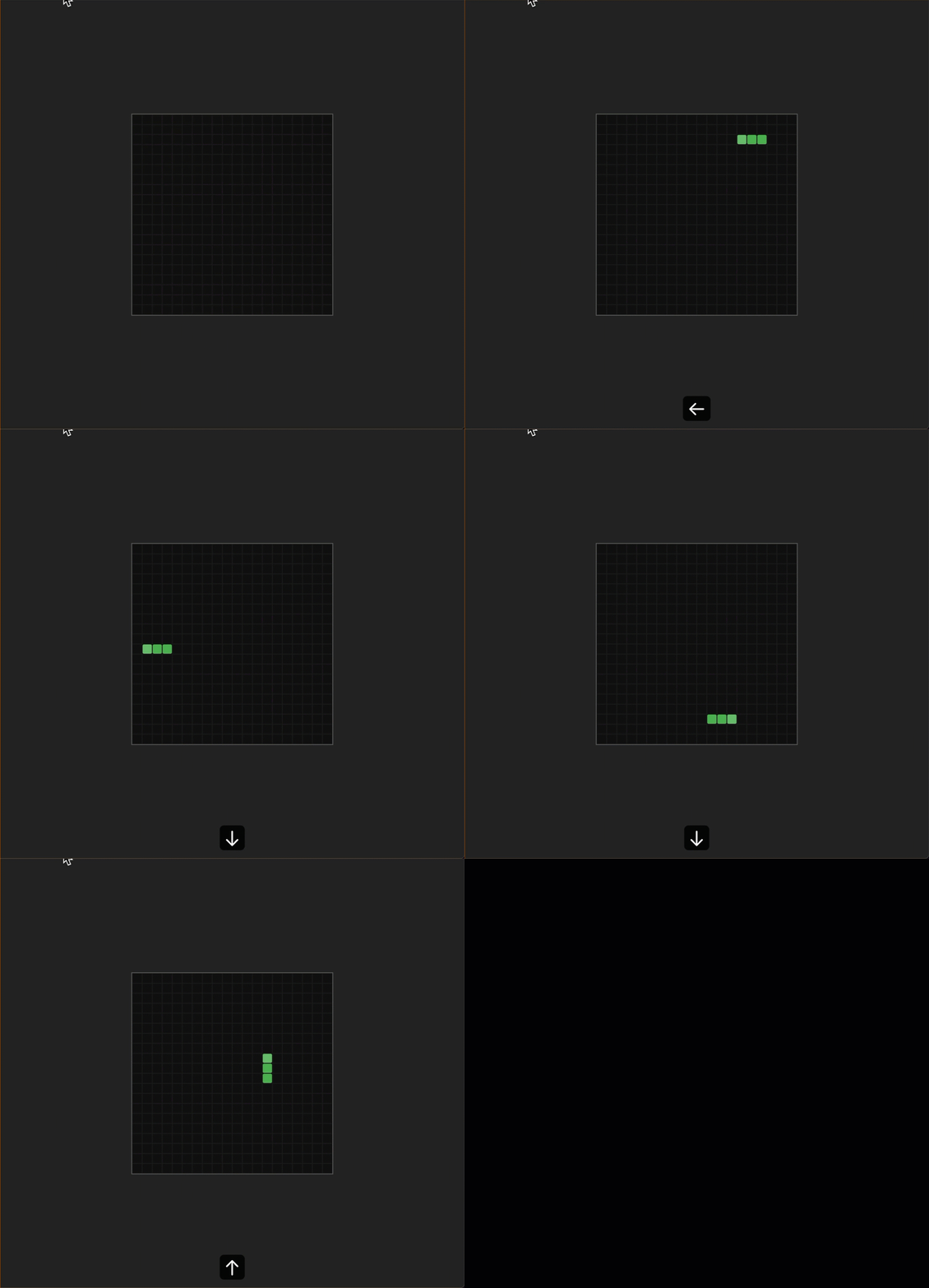
Run the dev server and try steering the snake with the arrow keys. The snake should change direction, and it should not reverse into itself:
Checkpoint: Commit your progress.
git add .
git commit -m "snake-04: Add keyboard steering with arrow keys"
git push