Build the Sign-In Flow
At this point the library is installed, the schema includes the auth tables, the OAuth App is registered with GitHub, and our environment variables are set. Now we add a sign-in button to the UI so users can trigger the flow and we can see it work.
Create a Sign-In Button
Create src/components/sign-in-button.tsx:
import { Authenticated, Unauthenticated, AuthLoading } from "convex/react";
import { useAuthActions } from "@convex-dev/auth/react";
import { Button } from "@/components/ui/button";
import { Github, LogOut } from "lucide-react";

function SignInButton() {
  const { signIn, signOut } = useAuthActions();

  return (
    <>
      <AuthLoading>
        <p className="text-sm text-muted-foreground">Loading...</p>
      </AuthLoading>
      <Unauthenticated>
        <Button onClick={() => void signIn("github")}>
          <Github className="mr-2 h-4 w-4" />
          Sign in with GitHub
        </Button>
      </Unauthenticated>
      <Authenticated>
        <Button variant="outline" onClick={() => void signOut()}>
          <LogOut className="mr-2 h-4 w-4" />
          Sign out
        </Button>
      </Authenticated>
    </>
  );
}

export default SignInButton;
The useAuthActions Hook
useAuthActions returns two functions, one to start sign-in and one to sign out:
signIn("github")starts the OAuth flow.signOut()clears the session on the server and in the client, which causesAuthenticatedto stop rendering andUnauthenticatedto take over.
Authenticated, Unauthenticated, and AuthLoading
Convex Auth gives us three React components: Authenticated, Unauthenticated, and AuthLoading. Each one renders its children only when the current auth state matches its name:
<AuthLoading>
  <p>Loading...</p>
</AuthLoading>
<Unauthenticated>
  <button>Sign in</button>
</Unauthenticated>
<Authenticated>
  <button>Sign out</button>
</Authenticated>
They come from convex/react, the same package as useQuery and useMutation. They read the auth state from the ConvexAuthProvider we set up earlier, so they render the correct state once you swap the provider.
Add the Sign-In Button to the Header
Update src/routes/__root.tsx:
import { createRootRoute, Link, Outlet } from "@tanstack/react-router";
import SignInButton from "@/components/sign-in-button";  // 👀

export const Route = createRootRoute({
  component: RootLayout,
});

function RootLayout() {
  return (
    <div className="min-h-screen bg-background">
      <header className="border-b">
        <div className="mx-auto flex max-w-7xl items-center justify-between px-4 py-6 sm:px-6 lg:px-8">
          <Link to="/" className="text-3xl font-bold tracking-tight">
            Issue Tracker
          </Link>
          <SignInButton /> {/* 👀 */}
        </div>
      </header>
      <main className="mx-auto max-w-7xl px-4 py-8 sm:px-6 lg:px-8">
        <Outlet />
      </main>
    </div>
  );
}
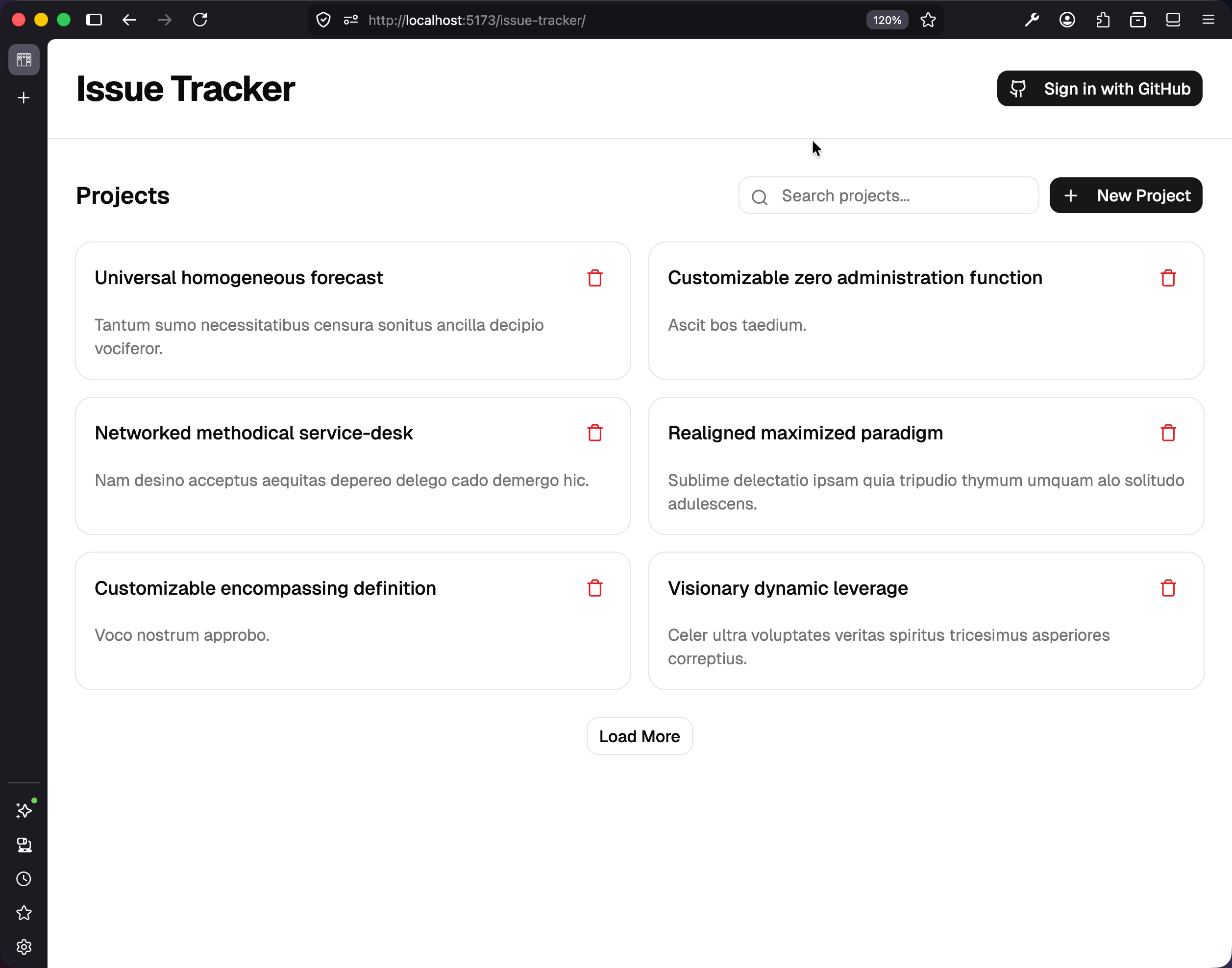
Save the file and open the browser. You should see a Sign in with GitHub button in the top-right of the header, with the GitHub logo to the left of the text.
Try the Sign-In Flow
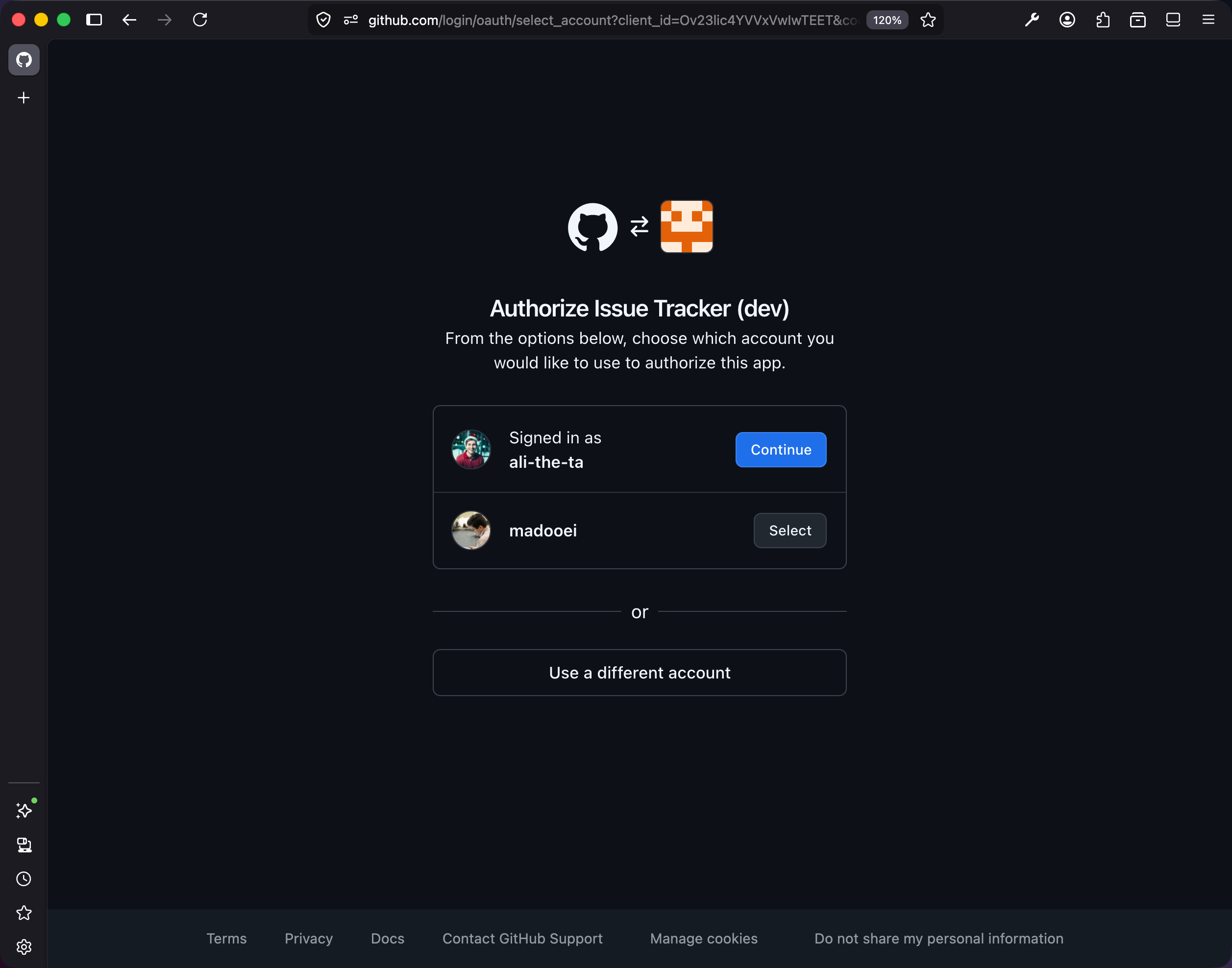
Click the button. Your browser navigates to github.com/login/oauth/authorize?client_id=... — that is GitHub asking whether you want to authorize your own OAuth App to read your profile. The first time, you will see GitHub’s “Authorize Issue Tracker Dev” screen listing the permissions the app is requesting (public profile info, email).
Once authorized, GitHub redirects you to your Convex deployment’s /api/auth/callback/github route with a temporary code. Convex exchanges that code for a real access token from GitHub. If this is the first time you have signed in, it pulls your GitHub profile and creates a row in the users table (you can see it in the Convex dashboard under Data → users). Then it redirects you back to your app, where the header now says Sign out instead of Sign in with GitHub.
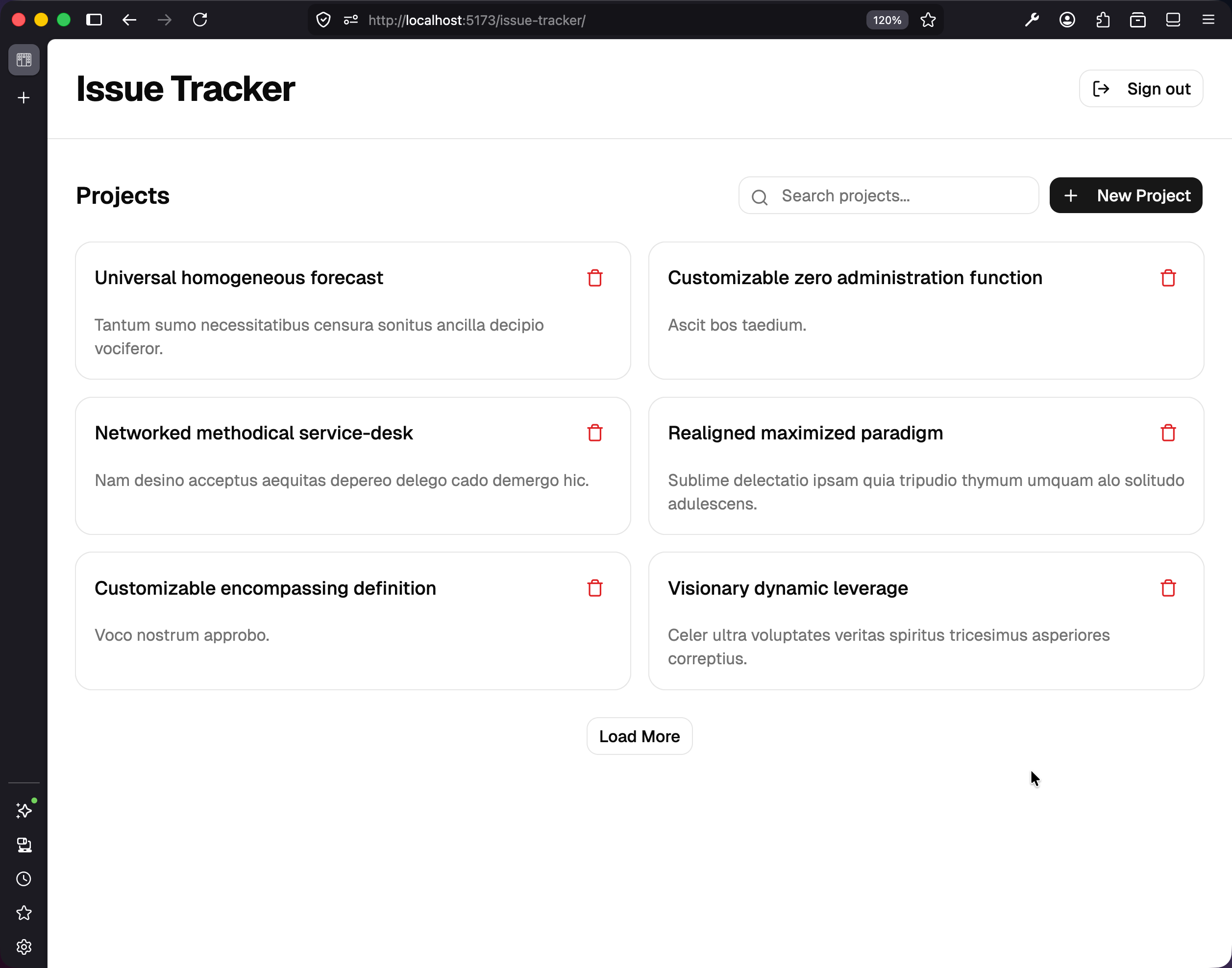
Click Sign out. The session clears, the header switches back to Sign in with GitHub, and the app is back to its starting state. None of this needs a full page reload. Convex is reactive, and the auth state is one of the things it tracks reactively.
What Just Happened
You went through a full OAuth flow. Here is the whole sequence, with the steps Convex Auth handled for you marked in bold:
- User clicks the button →
signIn("github")runs - Convex Auth redirects to
github.com/login/oauth/authorizewith your client ID - GitHub shows the authorization screen; user authorizes
- GitHub redirects back to
<deployment>.convex.site/api/auth/callback/githubwith a temporary code - Convex Auth (on the route we registered via
auth.addHttpRoutes) exchanges the code for an access token - Convex Auth fetches the user’s profile from GitHub
- Convex Auth upserts a row in the
userstable — keyed to the GitHub identity - Convex Auth creates a session row, signs a JWT with the keys we generated, and sets a cookie
- Convex Auth redirects to
SITE_URL - The
<Authenticated>component in the React tree re-renders because the provider’s state changed
Checkpoint: Commit your progress.
git add .
git commit -m "tracker-03: Add sign-in button to trigger GitHub OAuth flow"
git push