Set Up Vitest
The test runner we are using is Vitest. Vitest is built on top of Vite, so it reads our existing vite.config.ts, respects the @ alias, understands TypeScript, and works with ESM. We do not have to configure any of that ourselves. For this project we do not need a separate Vitest config file at all. We install the package, add a script to package.json, and start writing tests.
Install
In the project root, run:
pnpm add -D vitest
That adds Vitest to devDependencies. We do not need any other test-related packages for this chapter. Testing a pure function like evaluateGuess only needs the default Node environment that Vitest already provides.
Add the Test Scripts
Open package.json and add two new scripts:
  "scripts": {
    "dev": "vite",
    "build": "tsc -b && vite build",
    "lint": "eslint .",
    "format": "prettier --write \"**/*.{js,ts,jsx,tsx}\" --config \".prettierrc.json\"",
+   "test": "vitest",
+   "test:run": "vitest run",
    "preview": "vite preview"
  },
The two scripts cover the two ways you will run Vitest day to day:
pnpm testruns in watch mode.Viteststays running, re-executes the relevant files whenever you save a source or test file, and keeps a tight feedback loop while you are working on a change.pnpm test:runruns the whole suite once and exits. That is what you want in CI, in a pre-commit hook, or when you just want a quick green-or-red check without leaving a watcher running.
Write a First Test
Create a new file at src/lib/evaluate.test.ts:
import { describe, it, expect } from "vitest";
import { evaluateGuess } from "./evaluate";

describe("evaluateGuess", () => {
  it("returns a color for each letter in the guess", () => {
    const result = evaluateGuess("APPLE", "SPEED");
    expect(result).toHaveLength(5);
  });
});
A few notes about this file:
-
The test imports
describe,it, andexpectexplicitly from"vitest".Vitestcan be configured to expose those as globals so you do not need the import, but we leave that off because our TypeScript config hasverbatimModuleSyntax: trueand we prefer test dependencies to be visible at the top of the file like any other import.describegroups related tests under a shared label,itdeclares one test, andexpect(value)takes a value and makes an assertion about it using a chained matcher like.toHaveLength(5). -
The convention is that any file ending in
.test.ts(or.test.tsx) is picked up by Vitest automatically. We do not need to register this file anywhere. Saving it next to the function it tests is enough. -
The single test in this file asserts something obvious about
evaluateGuess: that it returns exactly five colors for a five-letter guess. This test is intentionally minimal. The point for now is to confirm that the runner, the imports, and the project’s TypeScript setup all work end-to-end. We will add the cases that actually matter in the next section.
Run It
Start the test watcher:
pnpm test
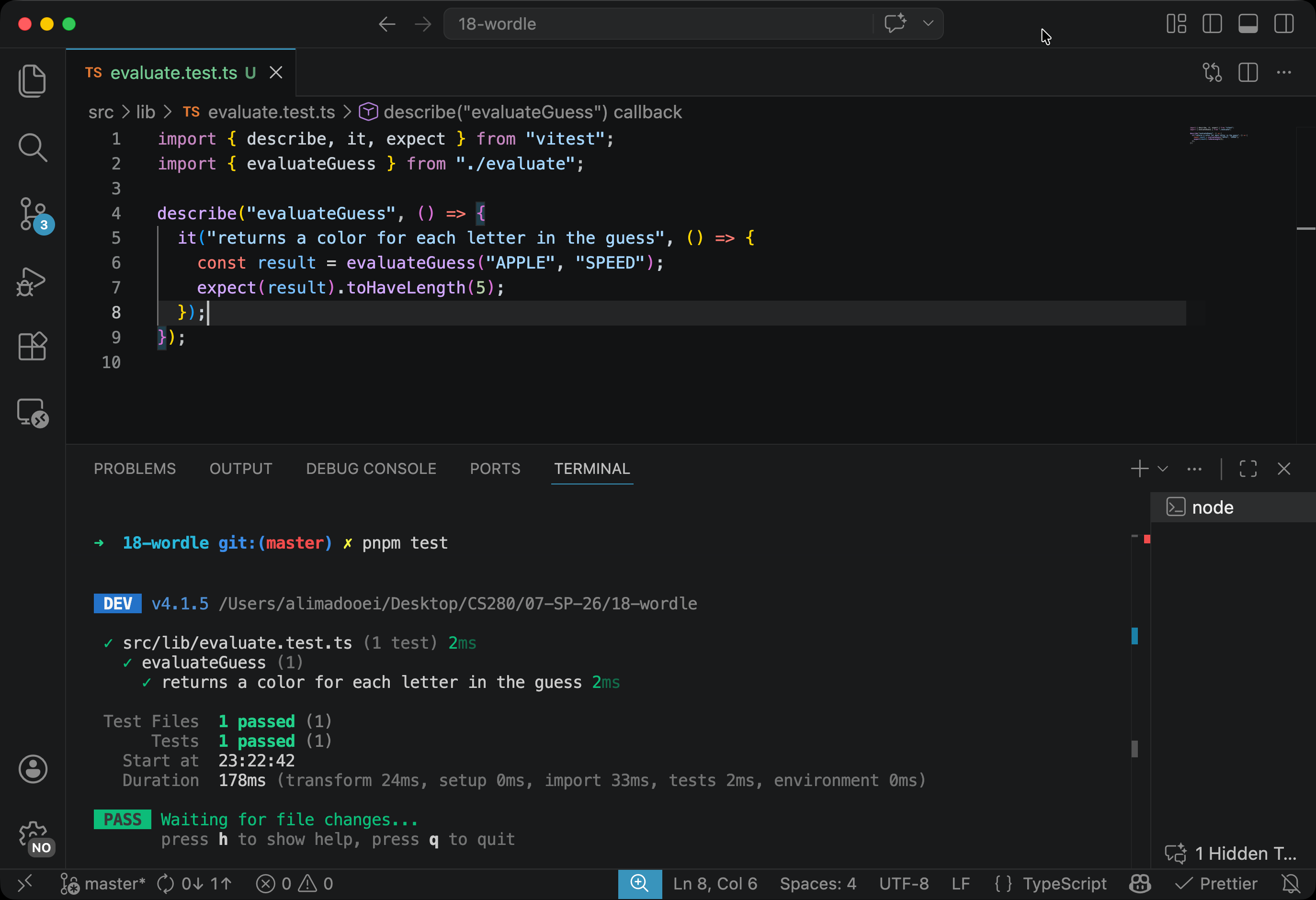
Vitest discovers evaluate.test.ts, runs the single test in it, and prints a green pass that looks roughly like this:
 ✓ src/lib/evaluate.test.ts (1 test) 2ms
   ✓ evaluateGuess (1)
     ✓ returns a color for each letter in the guess 2ms

 Test Files  1 passed (1)
      Tests  1 passed (1)

 Waiting for file changes...
       press h to show help, press q to quit
The watcher is now waiting for you to change a file. Press q to quit it and return to the terminal prompt.
Checkpoint: Commit your progress.
git add .
git commit -m "wordle-2: Install Vitest and add a first passing test for evaluateGuess"
git push