The Board Detail Pages
Now that we have our data types and sample boards, let’s build the board detail page. This page will display the board’s title, description, and a list of kudos.
Create the board detail route
In TanStack Router’s file-based routing, a dynamic segment uses a $ prefix in the filename. Create src/routes/boards.$boardId.tsx:
import { createFileRoute } from "@tanstack/react-router";
import { INITIAL_BOARDS } from "@/data/boards";
import type { Kudo } from "@/data/types";
import { Card, CardContent } from "@/components/ui/card";

export const Route = createFileRoute("/boards/$boardId")({
  component: BoardPage,
});

function BoardPage() {
  const { boardId } = Route.useParams(); // 👀 Read the dynamic param
  const board = INITIAL_BOARDS.find((b) => b.id === boardId);

  if (!board) {
    return (
      <div className="text-center">
        <h1 className="mb-2 text-2xl font-bold">Board not found</h1>
        <p className="text-muted-foreground">
          The board you're looking for doesn't exist.
        </p>
      </div>
    );
  }

  return (
    <div>
      <h1 className="mb-2 text-3xl font-bold">{board.title}</h1>
      <p className="mb-6 text-muted-foreground">{board.description}</p>

      {board.kudos.length === 0 ? (
        <p className="text-muted-foreground">
          No kudos yet. Be the first to add one!
        </p>
      ) : (
        <div className="grid gap-4 sm:grid-cols-2 lg:grid-cols-3">
          {board.kudos.map((kudo) => (
            <KudoCard key={kudo.id} kudo={kudo} />
          ))}
        </div>
      )}
    </div>
  );
}

function KudoCard({ kudo }: { kudo: Kudo }) {
  return (
    <Card className={kudo.color}>
      <CardContent className="pt-1">
        <p className="mb-3 text-sm">{kudo.message}</p>
        <p className="text-xs font-semibold text-muted-foreground">
          — {kudo.author}
        </p>
      </CardContent>
    </Card>
  );
}
The filename boards.$boardId.tsx tells the router this route matches /boards/anything. The dot (.) in the filename represents a / in the URL path. The $boardId part is captured as a parameter, and we read it with Route.useParams(). That parameter is fully typed.
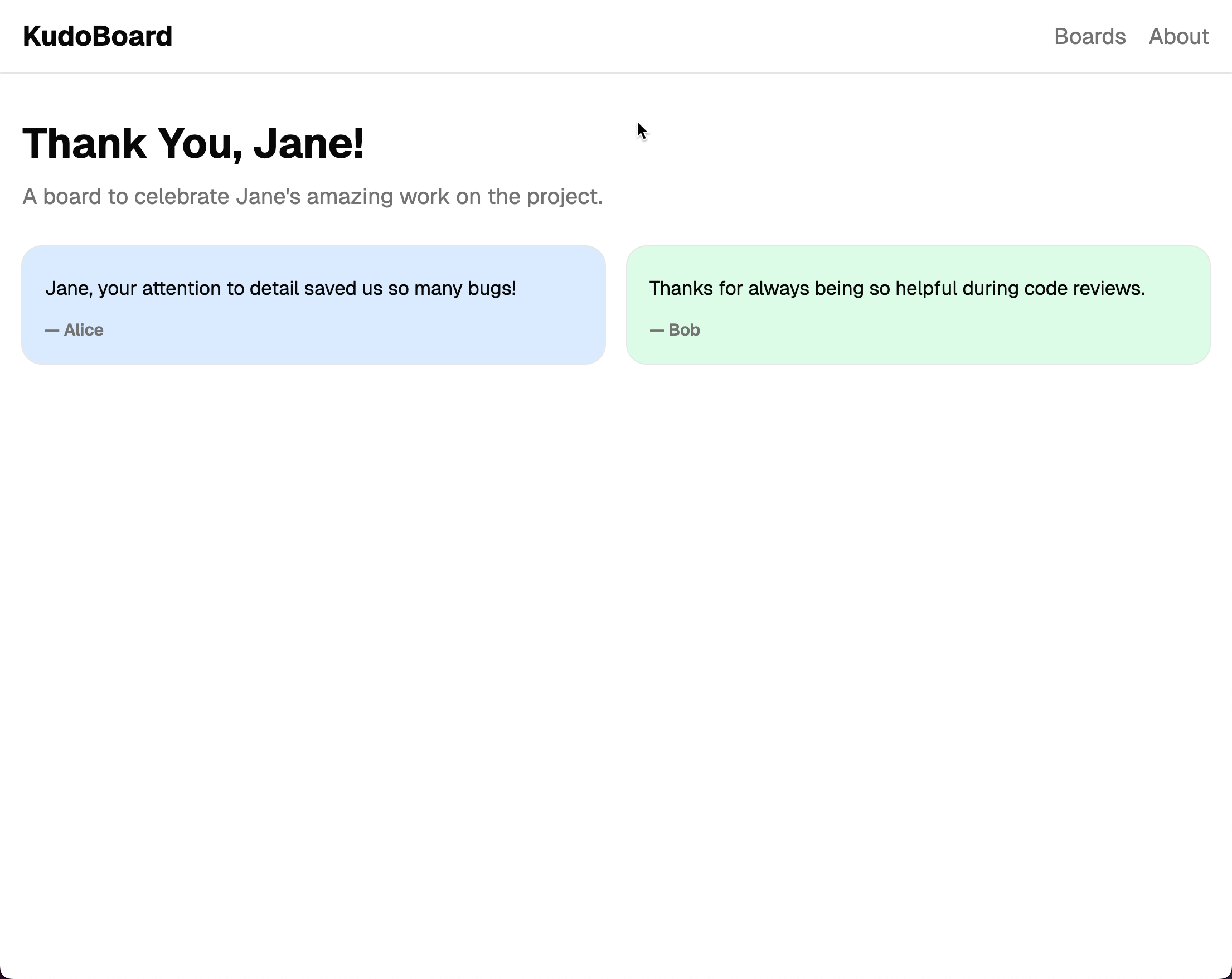
Run the app and click on “Thank You, Jane!”. You will navigate to /boards/thank-you-jane and see the board’s title, description, and two kudo cards with colored backgrounds.
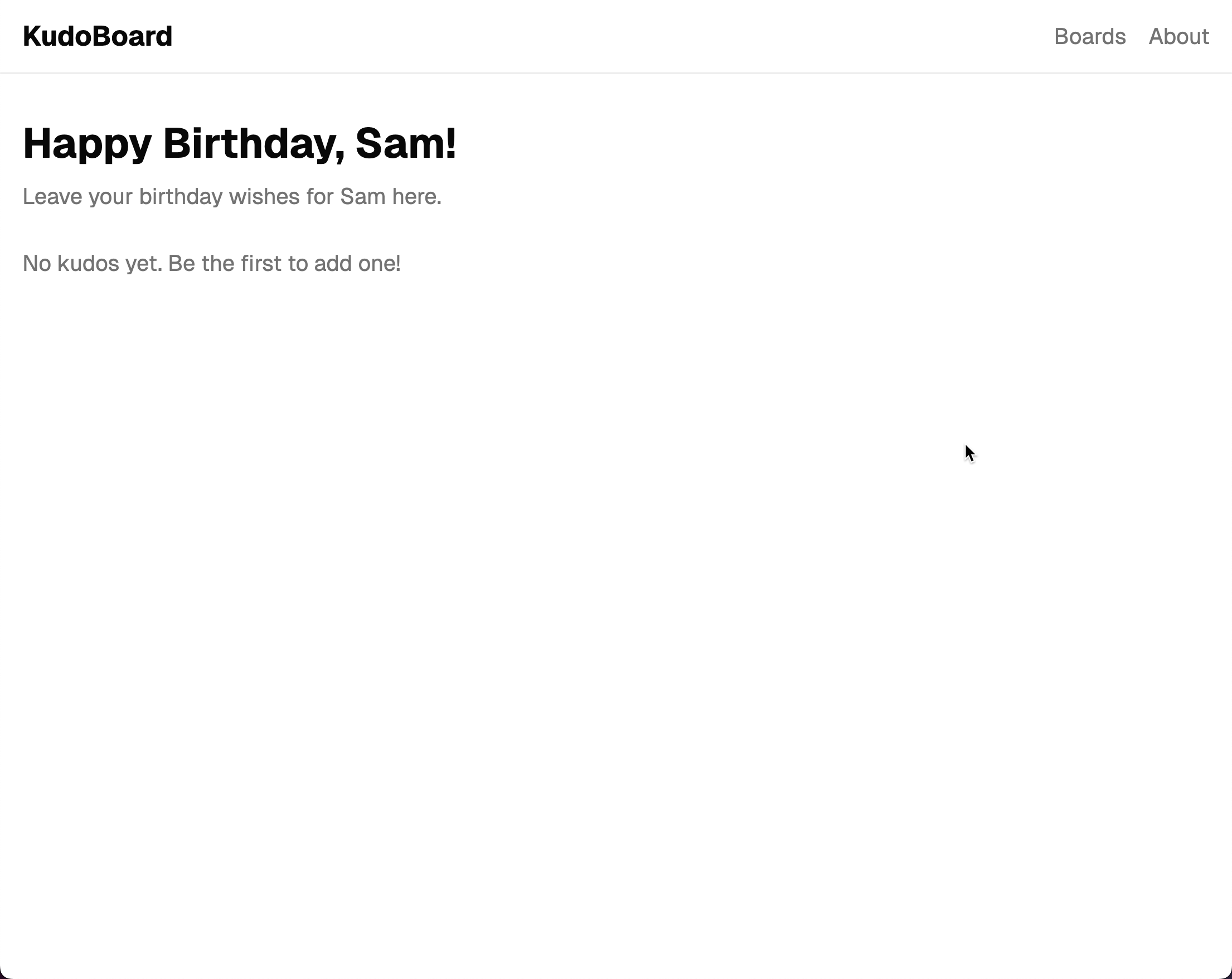
Try clicking “Happy Birthday, Sam!” to see a board with no kudos yet.
Use the browser’s back button or click “Boards” in the nav to go back. The page changes right away, because the routing happens on the client.
Checkpoint: Commit your progress.
git add .
git commit -m "kudoboard-06: Create board detail route with dynamic path and display board info and kudos"
git push