Fetching Weather Data
Now that getLocation retrieves coordinates for a city, let’s implement getCurrentWeather to fetch the actual weather data.
Mapping Weather Codes
The Open-Meteo API returns a numeric weather_code following the WMO standard. We need a helper function to convert these codes into readable descriptions. Add this function to src/main.js:
function weatherCodeToDescription(code) {
  const descriptions = {
    0: "Clear sky",
    1: "Mainly clear",
    2: "Partly cloudy",
    3: "Overcast",
    45: "Foggy",
    48: "Depositing rime fog",
    51: "Light drizzle",
    53: "Moderate drizzle",
    55: "Dense drizzle",
    61: "Slight rain",
    63: "Moderate rain",
    65: "Heavy rain",
    71: "Slight snowfall",
    73: "Moderate snowfall",
    75: "Heavy snowfall",
    80: "Slight rain showers",
    81: "Moderate rain showers",
    82: "Violent rain showers",
    95: "Thunderstorm",
    96: "Thunderstorm with slight hail",
    99: "Thunderstorm with heavy hail",
  };
  return descriptions[code] ?? "Unknown";
}
Implementing getCurrentWeather
Add the following getCurrentWeather function to src/main.js:
function getCurrentWeather(location) {
const url = `${FORECAST_URL}?latitude=${location.latitude}&longitude=${location.longitude}¤t=temperature_2m,weather_code`;
fetch(url)
.then((response) => response.json())
.then((data) => {
const forecast = {
temperature: data.current.temperature_2m,
unit: data.current_units.temperature_2m,
description: weatherCodeToDescription(data.current.weather_code),
};
console.log(forecast);
})
.catch((err) => console.log(err));
}
We request temperature_2m and weather_code from the current data. The response also includes a current_units object that tells us the temperature unit (e.g., "°C"). We bundle these into a forecast object with temperature, unit, and description.
Try the application by entering “Baltimore” as the city:
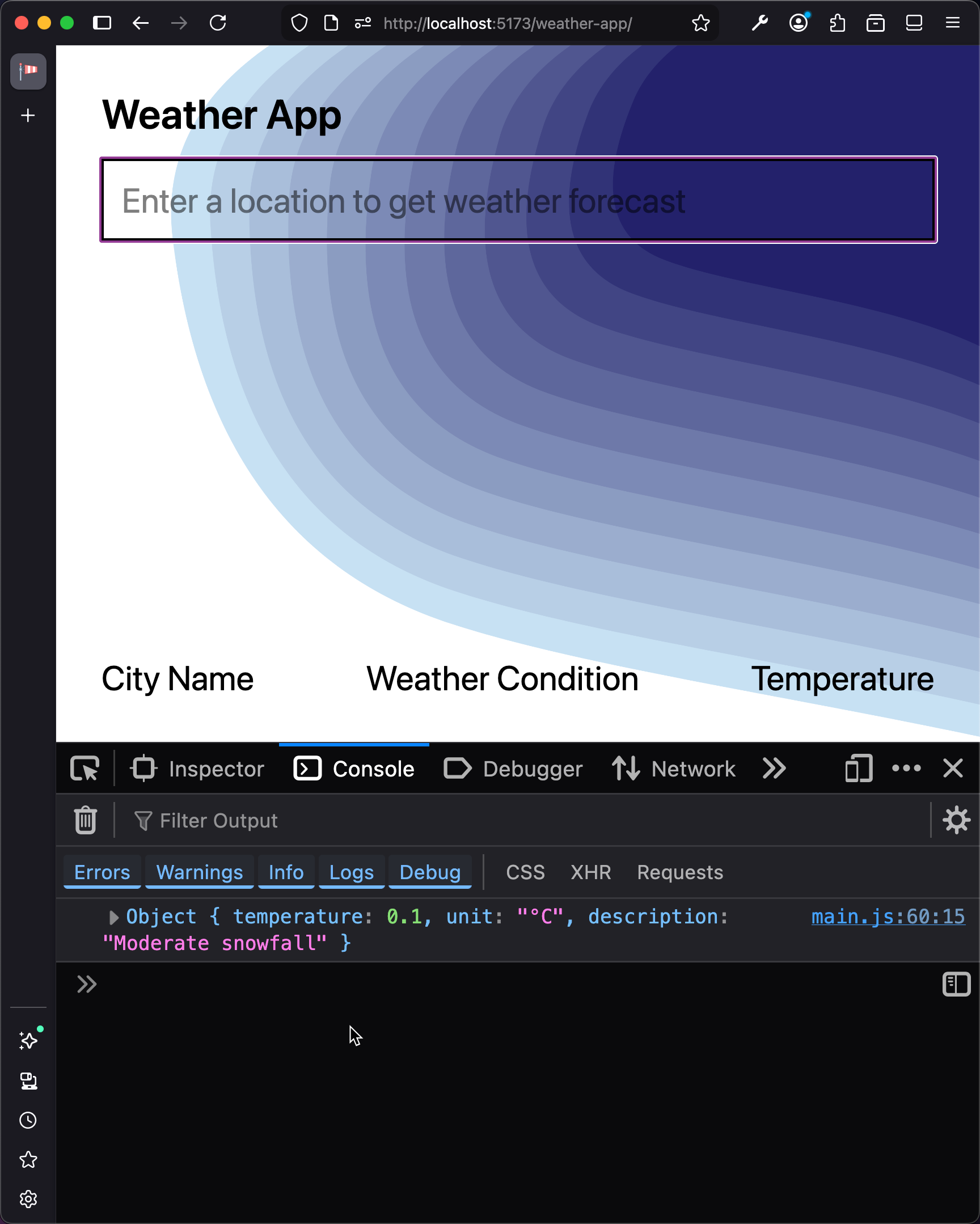
Now revisit getCurrentWeather and replace the console.log with a call to updateUI (which we will implement in the next section):
-   console.log(forecast);
+   updateUI(location, forecast);
Checkpoint: Commit your progress.
git add .
git commit -m "weather-02: Implement getCurrentWeather"
git push