Add Word Validation
The evaluator bug is fixed, and there are tests covering the fix. The next thing to do in this project is add a feature the starter does not have: word validation. If you run the dev server right now and type five letters that are not a real word (such as ZZZZZ, QQQQQ, or anything), the game accepts the guess and evaluates it. What we want instead is for the game to accept a submission only when the typed letters form a word the game recognizes, and to reject anything else with visible feedback to the player.
We will do this one differently from the evaluator fix. That was bug → fix → tests. We had an existing function to repair. This time there is no broken code to react to, so the shape is spec → tests → implementation: we describe what we want, tests get written to specify the behavior, and the code is written last to make those tests pass. That is TDD, and it is the right shape for building something new.
Instead of walking through those steps ourselves, we are going to give Copilot one prompt and let it run the whole cycle.
Switch to Bypass Approvals
An agent-mode session like this one is going to want to run tests several times, edit multiple files, and re-run tests between edits. By default, Copilot has to ask for permission before each of those steps. We can take a risk and let it run freely for this session, but we have to explicitly switch the approval mode to do that.
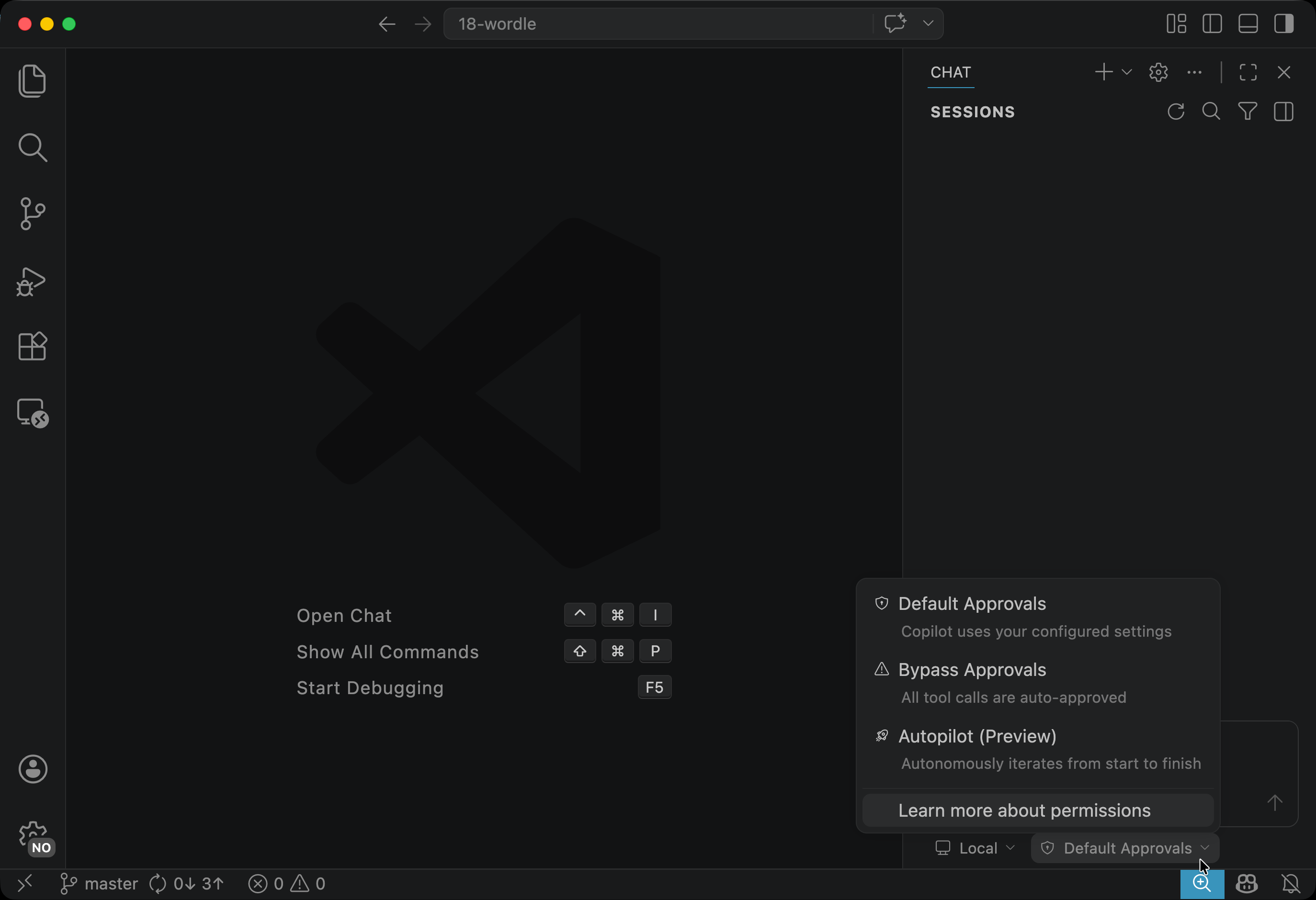
Open the Chat view and find the approval-mode dropdown in the bottom-right corner. It has three options:
- Default Approvals — Copilot prompts you whenever it wants to run a command or make a change outside of its usual safe operations. This is what we have been using so far.
- Bypass Approvals — every tool call is auto-approved for this session.
- Autopilot (Preview) — more autonomous still, meant for runs where you are not actively supervising.
For this task, switch the dropdown to Bypass Approvals. We want Copilot to iterate freely through the TDD loop, but we still intend to read the diff before we keep anything, which is what we have been doing with Copilot throughout the chapter.
One warning about this setting. It is fine here because this is a bounded project, your changes are easy to inspect with git diff, and nothing you do inside this repository can touch production systems or leak credentials. Do not carry the Bypass habit into codebases where the approval gate is what is keeping you from accidentally running a destructive command, and do not leave it on for long-running sessions where you are not actively watching what Copilot is doing.
Send the Prompt
Open a new chat (the + button) and send:
Add word validation to this Wordle game. Use TDD — write the failing tests first, then implement. A guess should only be accepted when it's in the word list at src/lib/words.ts; otherwise reject the submission and show clear feedback to the player.
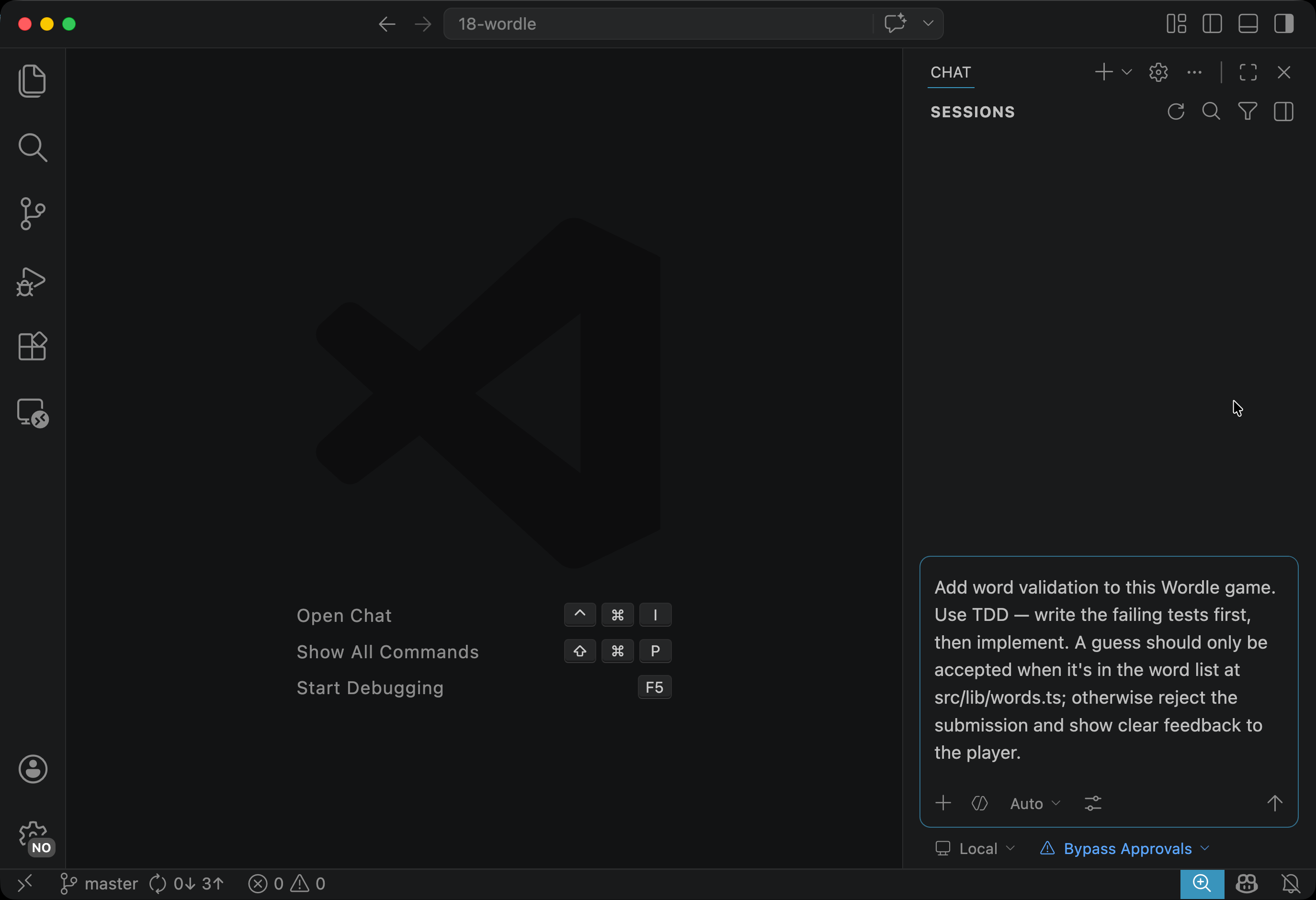
You do not need to attach anything with #file: or #sym: this time. In agent mode, Copilot navigates the codebase on its own. It will open words.ts, find where guesses are submitted, and pull in whatever else it needs as it works.
What Copilot Does
Here is how it went on my end. Copilot said:
I’m starting from the guess submission flow and the existing evaluation tests so I can add validation with a minimal, falsifiable change: first prove there’s no dictionary check in the submit path, then write a failing test around that behavior before editing the game logic.
I then explored some files as it mentioned them, and after a moment it said:
The submit path is local and currently unconditional after length passes: that gives a clear hypothesis to test. I’m checking whether UI already renders the store message so the smallest first change can stay in the store and still satisfy the feedback requirement.
It then explored the codebase a bit more and said:
The UI already renders the store message, so the controlling code path is the store submit function. I’m moving to TDD now: add a store-level test that should fail because invalid five-letter guesses are currently accepted into the guesses list.
It then created a plan — a list of TODOs — and started working through them one by one.
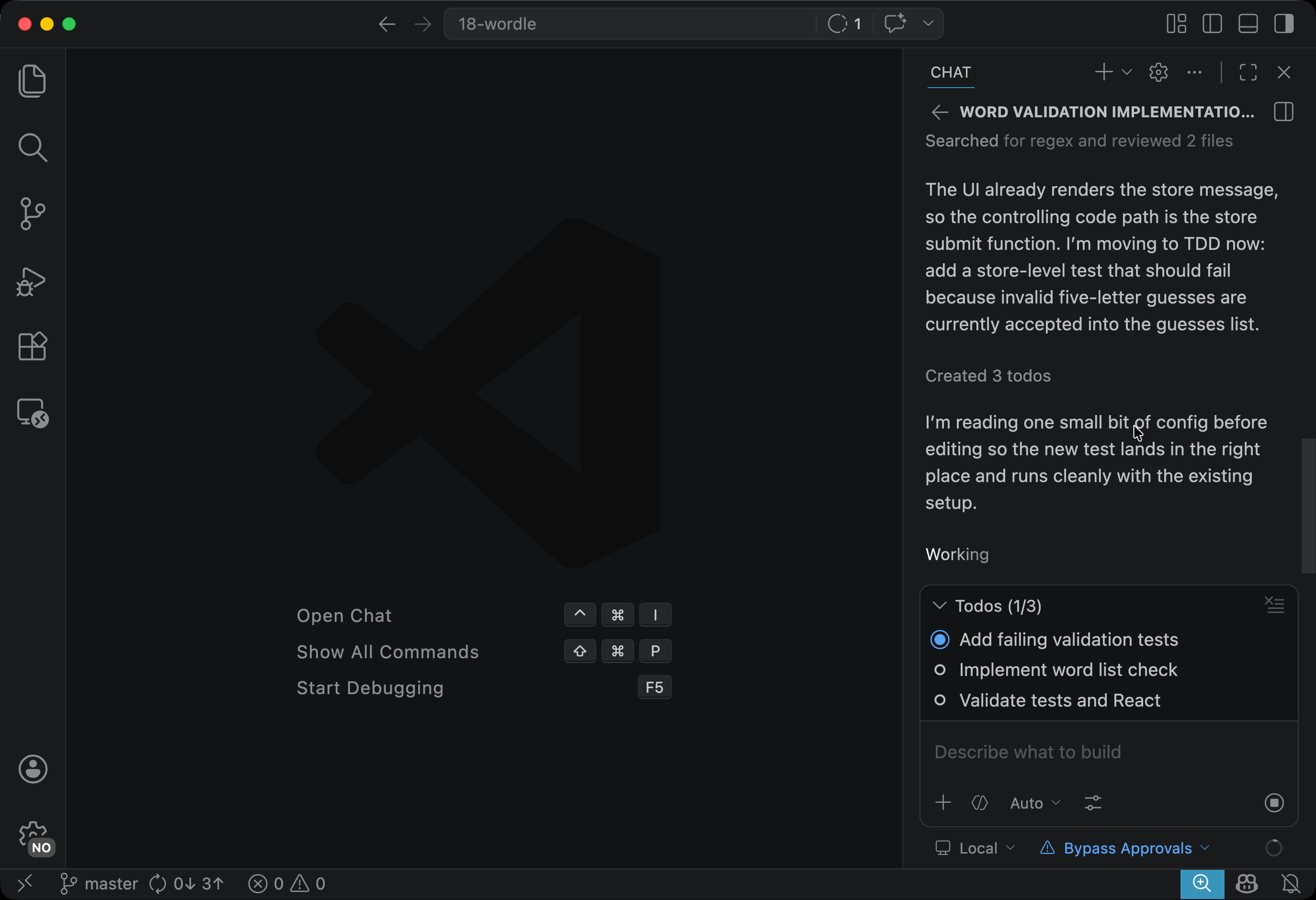
Copilot worked through the list on its own, writing failing tests, running them, adjusting the implementation, and re-running until the whole suite stayed green.
At the end, it marked all the Todos as done and said:
Word validation is now enforced in the submit path, and I added it with TDD.
Review the Diff
Before accepting the changes, read through everything that changed. Two things worth paying attention to as you read:
-
Did the validation logic land somewhere sensible? A pure function that takes a string and returns whether it is in the word list belongs in
src/lib/words.ts, alongside the word-list constants that are already there. If Copilot put it somewhere odd (inside a component or mixed into the game store), that is worth noticing and pushing back on. -
Did Copilot change things it did not need to? Agent mode can change files beyond what the prompt asked for. The evaluator you fixed earlier in the chapter should not have been touched by this task, and neither should the existing tests for
evaluateGuess. If something in an unrelated file changed, either ask Copilot to explain why or revert that part yourself before keeping the diff.
If the diff looks good, accept it. If something needs tightening, push back in the chat — for example, “the feedback message is too big, make it a small inline note” or “the new test file duplicates the existing one, merge them into one” — and let Copilot revise before you keep the changes.
On my end, Copilot modified four files:
src/lib/words.ts— added a helper function to check if a word is in the listsrc/lib/game-store.ts— added the validation logic and the feedback messagesrc/lib/game-store.test.ts— added tests for the new validation behaviorsrc/components/game.tsx— made an update that seems irrelevant to the feature.
The update to game.tsx I did not expect:
      <div className="flex h-6 items-center">
        {message && (
          <p
+           aria-live="polite"
            className={
              status === "won"
                ? "text-green-600 font-semibold"
                : status === "lost"
                  ? "text-red-600 font-semibold"
-                 : "text-muted-foreground"
+                 : "text-amber-700 font-semibold"
            }
          >
            {message}
          </p>
        )}
      </div>
This is a styling change to the feedback message. It was not part of the prompt and is not strictly necessary for the feature to work, but it makes the message more visible, with a color that stands out without being as harsh as red.
Copilot also added aria-live="polite" to the message element, which makes screen readers announce the text when it appears. I was not thinking about accessibility when I wrote the prompt, but Copilot took that initiative on its own.
I decided to keep these changes, but not every unrequested change from an agent is going to be this welcome. Read the diff carefully and make sure every piece of it has a reason to be there.
Verify in the Browser
The tests pass, but you should also check that the feature works when you play the game. Refresh the page, type a non-word like ZZZZZ, and press Enter. The game should reject the submission and show whatever feedback Copilot wired up.
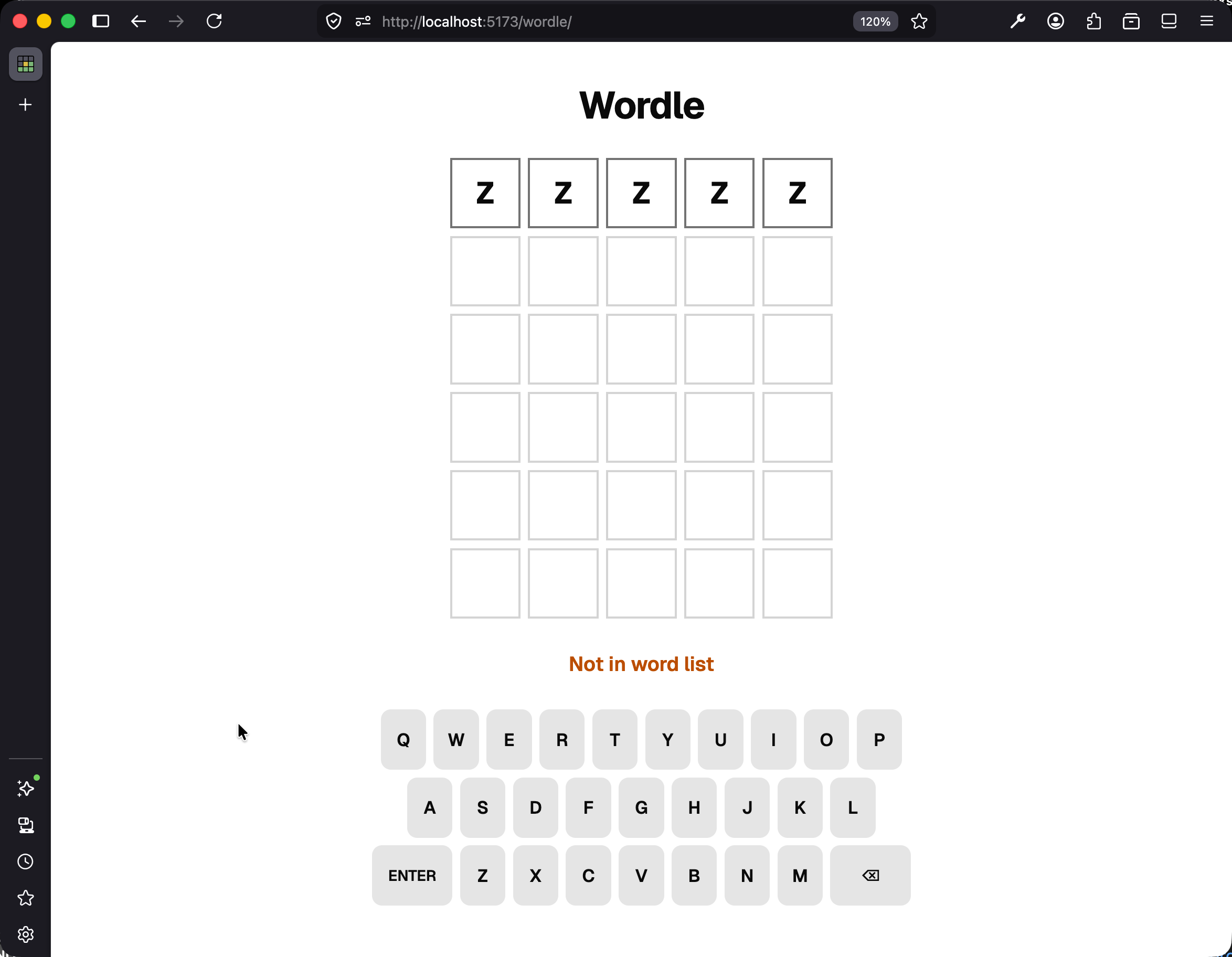
Then type a real word from the list (SPEED, APPLE, or any other word visible in src/lib/words.ts) and press Enter. That submission should go through normally and get colored the usual way.
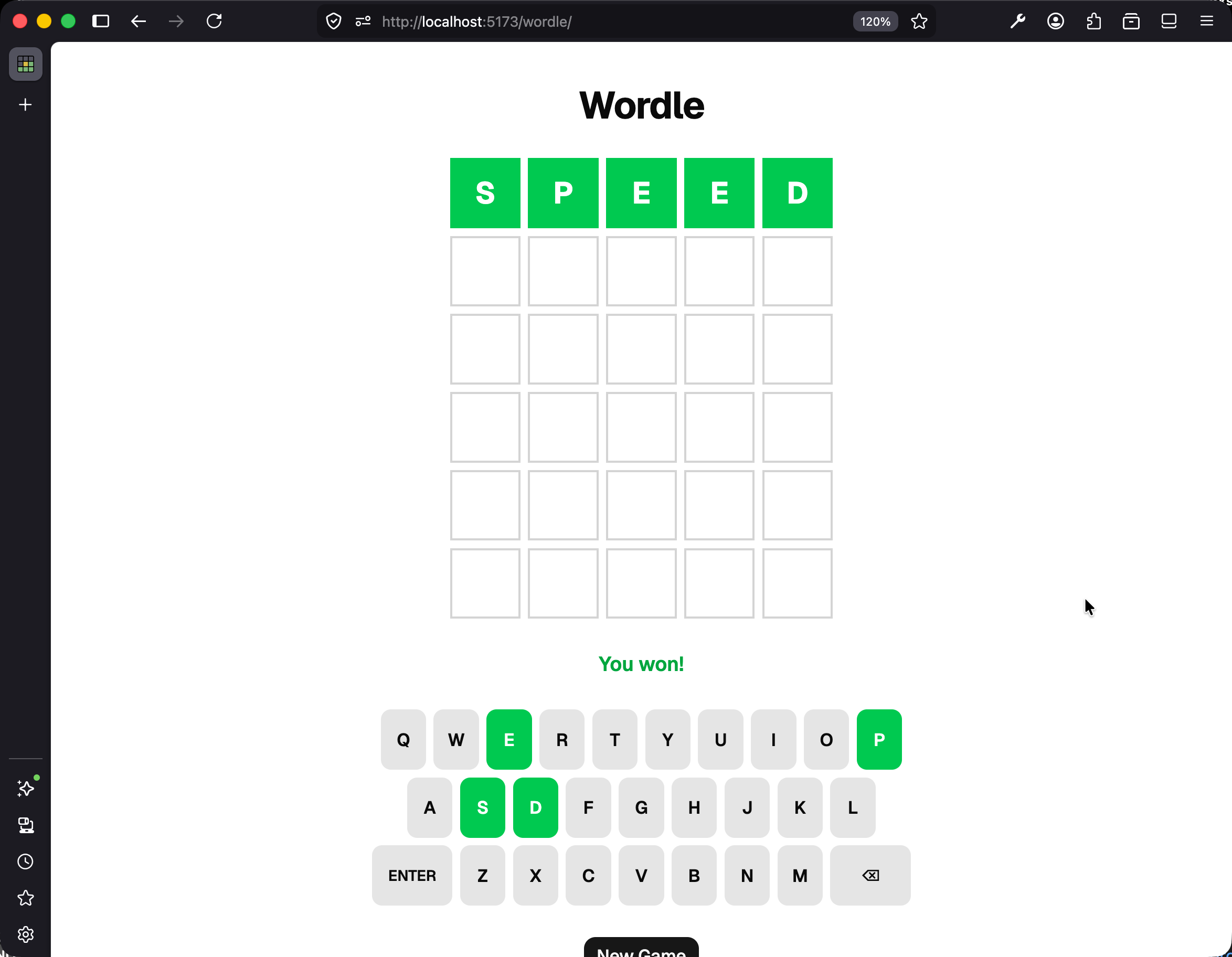
If both of those behaviors work, you have the feature.
Expanding the Word List
You might have noticed the starter keeps picking the same target. That is because the word list at src/lib/words.ts is only 37 words by design. If you want the game to feel more like real Wordle, open a new chat with Copilot and ask it to expand the list to a few hundred common five-letter words. Of everything we have asked AI to do in this chapter, that kind of bulk list generation is probably the best fit for it.
Checkpoint: Commit your progress.
git add .
git commit -m "wordle-4: Add word validation with TDD via Copilot agent mode"
git push