Create the Home and About Pages
Create src/routes/index.tsx. This matches the / path:
import { createFileRoute } from "@tanstack/react-router";

export const Route = createFileRoute("/")({
  component: HomePage,
});

function HomePage() {
  return (
    <div>
      <h1 className="mb-6 text-3xl font-bold">Boards</h1>
      <p className="text-muted-foreground">No boards yet. Check back soon!</p>
    </div>
  );
}
Create src/routes/about.tsx. This matches the /about path:
import { createFileRoute } from "@tanstack/react-router";

export const Route = createFileRoute("/about")({
  component: AboutPage,
});

function AboutPage() {
  return (
    <div>
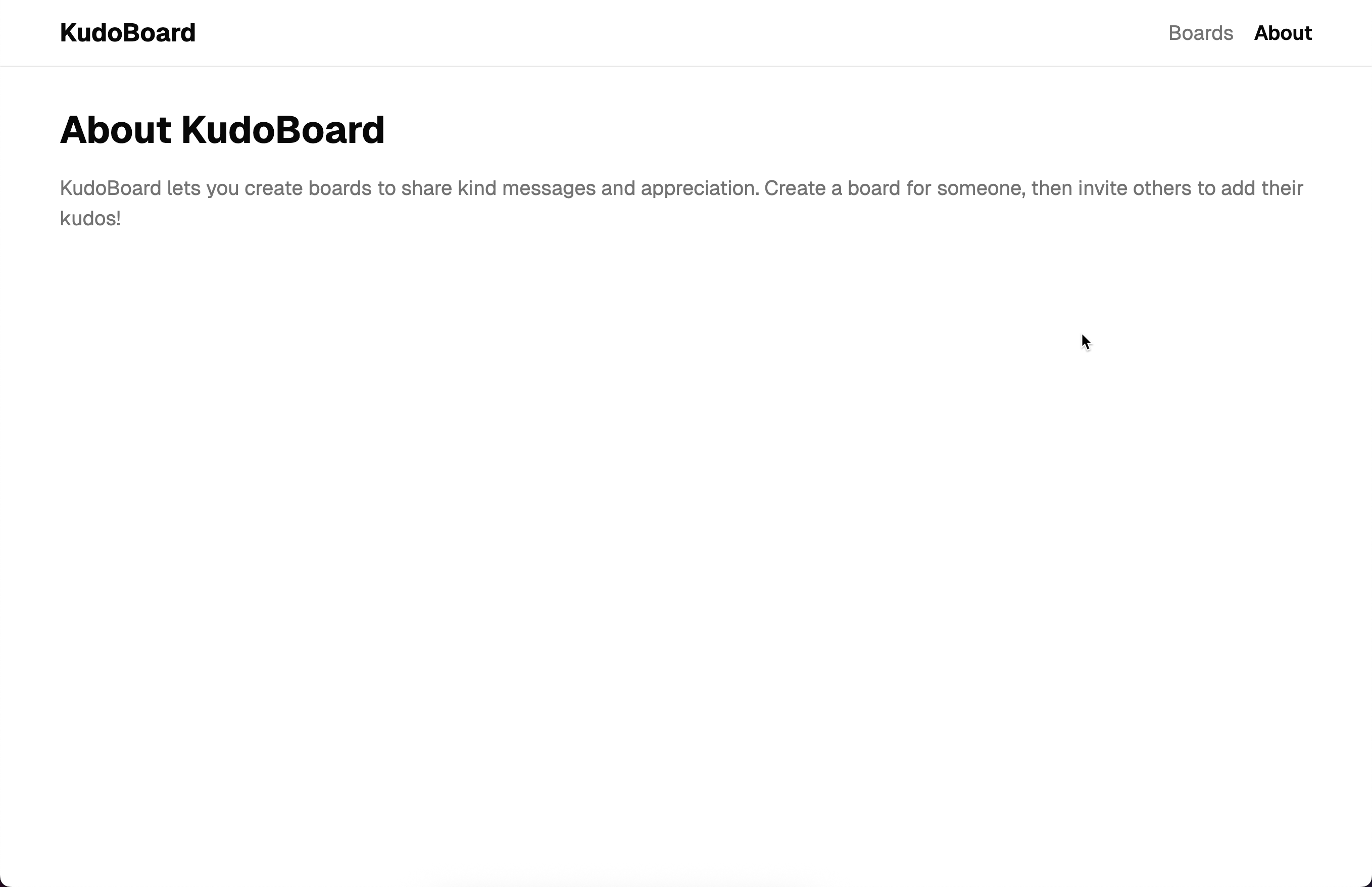
      <h1 className="mb-4 text-3xl font-bold">About KudoBoard</h1>
      <p className="text-muted-foreground">
        KudoBoard lets you create boards to share kind messages and
        appreciation. Create a board for someone, then invite others to add
        their kudos!
      </p>
    </div>
  );
}
Notice the pattern: each route file exports a Route object created with createFileRoute. The path string (like "/" or "/about") must match the file’s position in the routes/ directory. The Vite plugin enforces this. If they do not match, you will get an error.
Update the root layout
Update src/routes/__root.tsx:
import { createRootRoute, Link, Outlet } from "@tanstack/react-router";

export const Route = createRootRoute({
  component: RootLayout,
});

function RootLayout() {
  return (
    <div className="min-h-screen bg-background text-foreground">
      <header className="border-b">
        <nav className="mx-auto flex max-w-5xl items-center justify-between px-4 py-3">
          <Link to="/" className="text-xl font-bold">
            KudoBoard
          </Link>
          {/* 👀 Add navigation links */}
          <div className="flex gap-4">
            <Link
              to="/"
              className="text-muted-foreground hover:text-foreground [&.active]:text-foreground [&.active]:font-semibold"
            >
              Boards
            </Link>
            <Link
              to="/about"
              className="text-muted-foreground hover:text-foreground [&.active]:text-foreground [&.active]:font-semibold"
            >
              About
            </Link>
          </div>
        </nav>
      </header>
      <main className="mx-auto max-w-5xl px-4 py-8">
        <Outlet />
      </main>
    </div>
  );
}
We added navigation links to the header. Notice the to prop on each <Link> matches the route paths we defined earlier. TanStack Router automatically adds an active class to the link that matches the current URL. We use the [&.active] Tailwind selector to style it.
Test it out
Run the dev server and try clicking between “Boards” and “About” in the nav. Notice:
- The URL changes but the page does not reload
- The active link is styled differently (bold and darker)
- The nav bar stays in place — only the content below it changes
Checkpoint: Commit your progress.
git add .
git commit -m "kudoboard-02: Create the home and about pages and add navigation links"
git push