The Cart Page
Now let’s build the cart page. On this page the user can see the items in the cart, adjust quantities, remove products, and see the total.
Update the cart route
Replace the contents of src/routes/cart.tsx with:
import { createFileRoute, Link } from "@tanstack/react-router";
import { useCart } from "@/hooks/use-cart";
import { Button } from "@/components/ui/button";
import { Separator } from "@/components/ui/separator";
import { Minus, Plus, Trash2 } from "lucide-react";

export const Route = createFileRoute("/cart")({
  component: CartPage,
});

function CartPage() {
  const { items, removeFromCart, updateQuantity, clearCart, totalPrice } =
    useCart();

  if (items.length === 0) {
    return (
      <div className="text-center">
        <h1 className="mb-2 text-3xl font-bold">Shopping Cart</h1>
        <p className="mb-4 text-muted-foreground">Your cart is empty.</p>
        <Link to="/">
          <Button variant="outline">Continue Shopping</Button>
        </Link>
      </div>
    );
  }

  return (
    <div>
      <div className="mb-6 flex items-center justify-between">
        <h1 className="text-3xl font-bold">Shopping Cart</h1>
        <Button variant="outline" size="sm" onClick={clearCart}>
          Clear Cart
        </Button>
      </div>

      <div className="space-y-4">
        {items.map(({ product, quantity }) => (
          <div key={product.id}>
            <div className="flex items-center gap-4">
              <img
                src={product.thumbnail}
                alt={product.title}
                className="h-20 w-20 rounded object-contain"
              />
              <div className="flex-1">
                <Link
                  to="/products/$productId"
                  params={{ productId: String(product.id) }}
                  className="font-medium hover:underline"
                >
                  {product.title}
                </Link>
                <p className="text-sm text-muted-foreground">
                  ${product.price.toFixed(2)} each
                </p>
              </div>
              <div className="flex items-center gap-2">
                <Button
                  variant="outline"
                  size="icon-xs"
                  onClick={() => updateQuantity(product.id, quantity - 1)}
                  disabled={quantity <= 1}
                >
                  <Minus className="h-3 w-3" />
                </Button>
                <span className="w-8 text-center">{quantity}</span>
                <Button
                  variant="outline"
                  size="icon-xs"
                  onClick={() => updateQuantity(product.id, quantity + 1)}
                >
                  <Plus className="h-3 w-3" />
                </Button>
              </div>
              <p className="w-24 text-right font-semibold">
                ${(product.price * quantity).toFixed(2)}
              </p>
              <Button
                variant="ghost"
                size="icon-xs"
                onClick={() => removeFromCart(product.id)}
              >
                <Trash2 className="h-4 w-4" />
              </Button>
            </div>
            <Separator className="mt-4" />
          </div>
        ))}
      </div>

      <div className="mt-6 flex justify-end">
        <div className="text-right">
          <p className="text-lg font-semibold">
            Total: ${totalPrice.toFixed(2)}
          </p>
          <Button className="mt-4" size="lg">
            Checkout
          </Button>
        </div>
      </div>
    </div>
  );
}
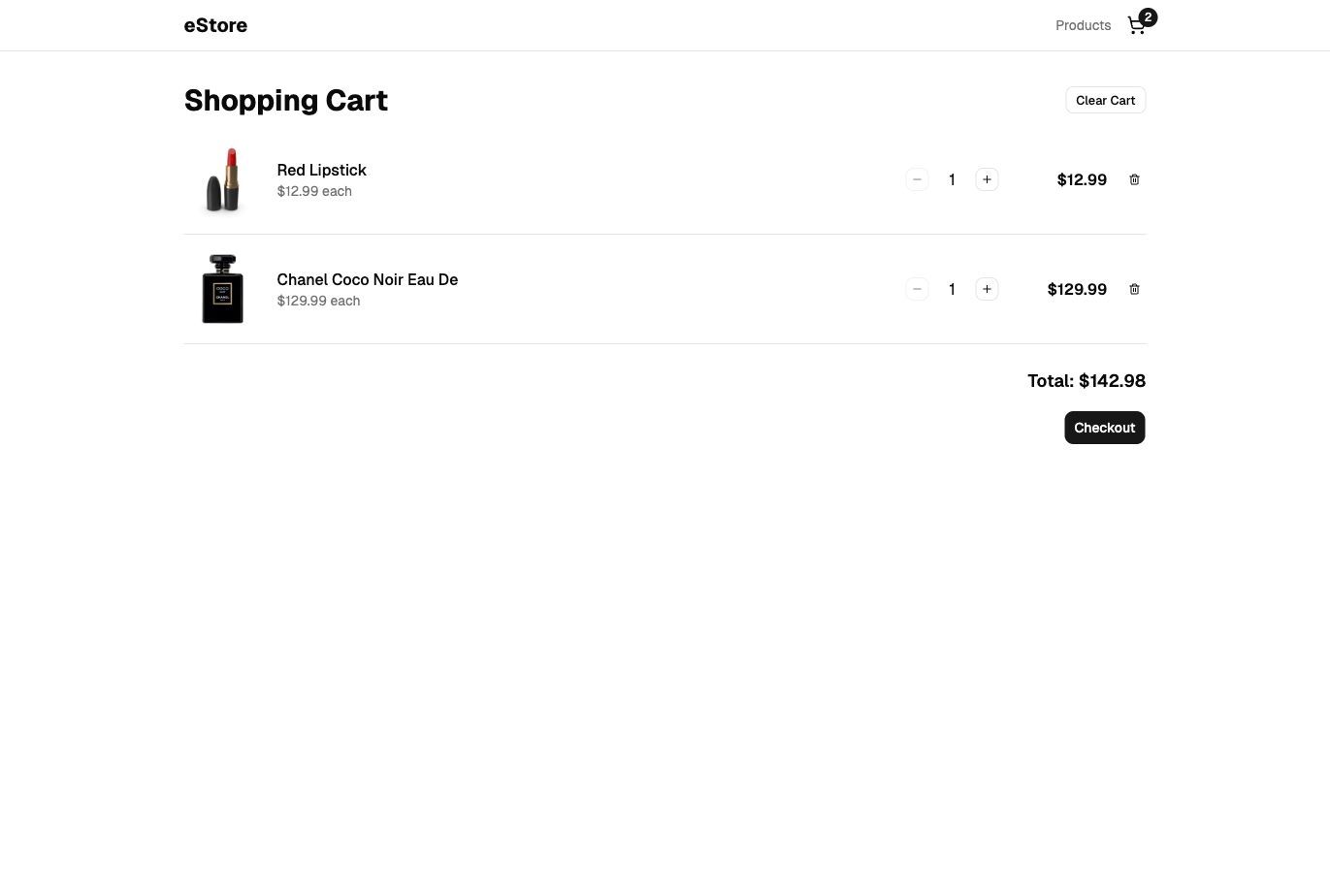
Each cart item displays the product thumbnail, title, unit price, quantity controls (+/- buttons), line total, and a delete button. All the handlers come from useCart(). The component itself has no state management logic.
The - button is disabled at 1, and the reducer also removes an item if its quantity is ever updated to 0 or less. That keeps the cart state valid even if updateQuantity is called from somewhere other than this UI.
Checkpoint: Commit your progress.
git add .
git commit -m "shopping-cart-10: Build the cart page with quantity controls"
git push