Wire Up useMutation
The mutations are on the server. Let’s call them from the UI using Convex’s useMutation hook.
How useMutation Works
useMutation returns an async function that sends the mutation to the server. It works like this:
const createTask = useMutation(api.tasks.create);

// Later, in an event handler:
await createTask({ title: "My task", description: "Do something" });
The function is type-safe. TypeScript knows what arguments api.tasks.create expects because Convex generates the types from your mutation’s args.
Update AddTaskDialog
Update src/components/add-task-dialog.tsx to use the Convex mutation instead of the store function:
import { useState } from "react";
import { Plus } from "lucide-react";
import { useMutation } from "convex/react";
import { api } from "../../convex/_generated/api";
import { Button } from "@/components/ui/button";
import {
  Dialog,
  DialogContent,
  DialogHeader,
  DialogTitle,
  DialogTrigger,
} from "@/components/ui/dialog";
import { Input } from "@/components/ui/input";
import { Textarea } from "@/components/ui/textarea";

function AddTaskDialog() {
  const [open, setOpen] = useState(false);
  const [title, setTitle] = useState("");
  const [description, setDescription] = useState("");

  const createTask = useMutation(api.tasks.create);

  function handleSubmit(e: React.FormEvent) {
    e.preventDefault();
    if (!title.trim()) return;
    createTask({ title: title.trim(), description: description.trim() });
    setTitle("");
    setDescription("");
    setOpen(false);
  }

  return (
    <Dialog open={open} onOpenChange={setOpen}>
      <DialogTrigger asChild>
        <Button>
          <Plus className="mr-2 h-4 w-4" />
          Add Task
        </Button>
      </DialogTrigger>
      <DialogContent>
        <DialogHeader>
          <DialogTitle>Add New Task</DialogTitle>
        </DialogHeader>
        <form onSubmit={handleSubmit} className="space-y-4">
          <div className="space-y-2">
            <label htmlFor="title" className="text-sm font-medium">
              Title
            </label>
            <Input
              id="title"
              placeholder="Enter task title"
              value={title}
              onChange={(e) => setTitle(e.target.value)}
              required
            />
          </div>
          <div className="space-y-2">
            <label htmlFor="description" className="text-sm font-medium">
              Description
            </label>
            <Textarea
              id="description"
              placeholder="Enter task description (optional)"
              value={description}
              onChange={(e) => setDescription(e.target.value)}
              rows={3}
            />
          </div>
          <div className="flex justify-end">
            <Button type="submit">Add Task</Button>
          </div>
        </form>
      </DialogContent>
    </Dialog>
  );
}

export default AddTaskDialog;
There are only three changes. We import useMutation and api from Convex instead of addTask from the store. We create the mutation function with useMutation(api.tasks.create). And we call it in handleSubmit.
Try It Out
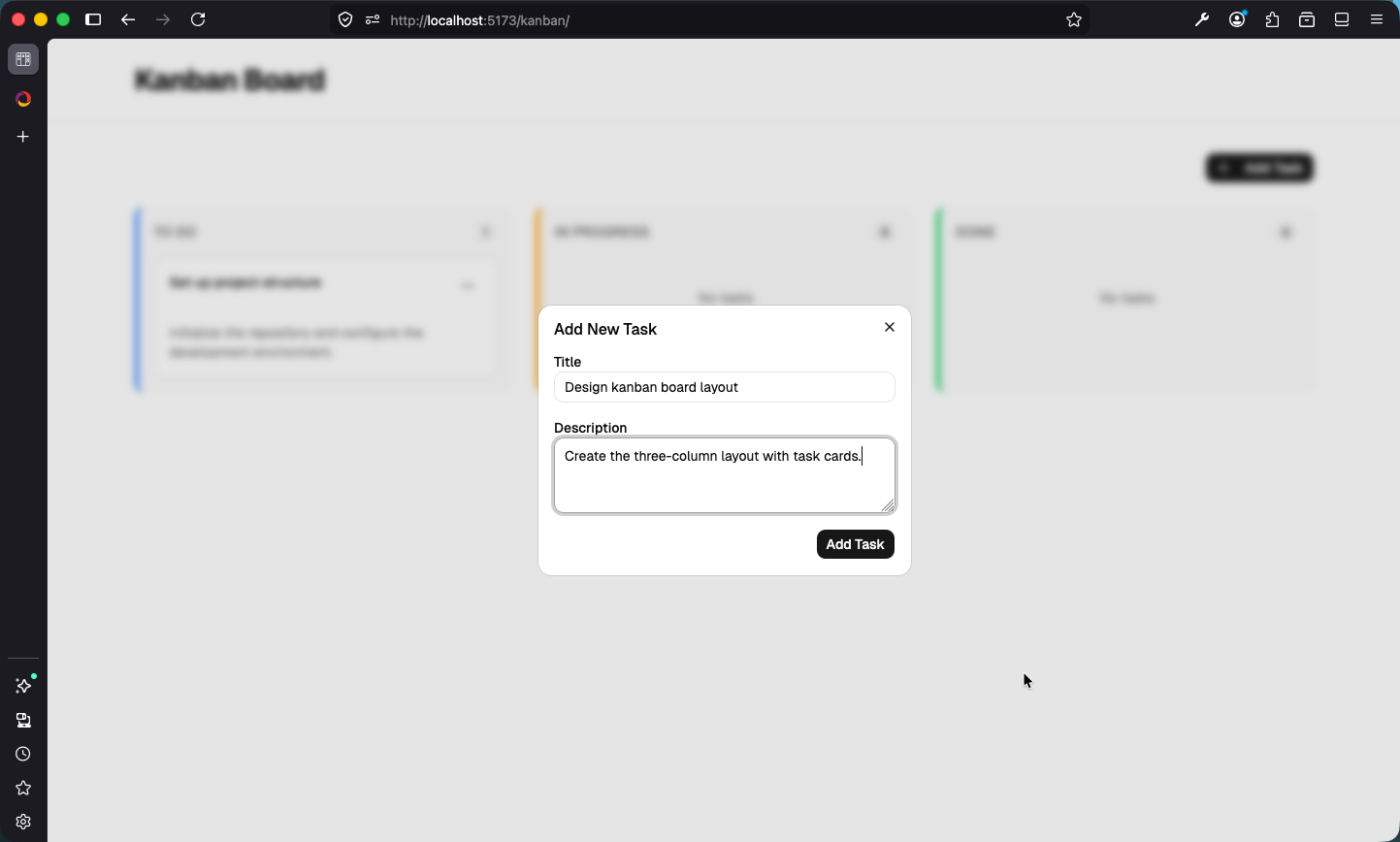
Make sure npx convex dev is running so the latest mutations are deployed. Then run your React app (pnpm run dev in a new terminal) and try adding a task:
- Click “Add Task” on the top right
- In the new dialog, enter a title and description
- Click “Add Task” on the dialog
Checkpoint: Commit your progress.
git add .
git commit -m "kanban-08: Wire up useMutation to create tasks"
git push