Generate Test Data with a Seed Script
With only a handful of projects, you cannot really see pagination in action. The Load More button never appears because all projects fit on the first page. Let’s generate enough data to test it properly.
We will write a standalone TypeScript script that uses Faker.js to generate realistic project and task data, then inserts it via our existing insertSeedData mutation.
Install Dependencies
We need two packages: Faker.js for generating fake data, and tsx to run TypeScript files directly from the command line.
pnpm add -D @faker-js/faker tsx
Write the Seed Script
Create scripts/seed.ts:
#!/usr/bin/env npx tsx
import { faker } from "@faker-js/faker";
import { spawnSync } from "node:child_process";

const PROJECT_COUNT = 50;
const MAX_TASKS_PER_PROJECT = 10;

const statuses = ["todo", "in-progress", "done"] as const;

const projects = Array.from({ length: PROJECT_COUNT }, () => {
  const taskCount = faker.number.int({ min: 3, max: MAX_TASKS_PER_PROJECT });

  return {
    name: faker.company.catchPhrase(),
    description: faker.lorem.sentence(),
    tasks: Array.from({ length: taskCount }, () => ({
      title: faker.hacker.phrase(),
      description: faker.lorem.sentence(),
      status: faker.helpers.arrayElement(statuses),
    })),
  };
});

console.log(`Seeding ${projects.length} projects...`);

const result = spawnSync(
  "npx",
  ["convex", "run", "seed:insertSeedData", JSON.stringify({ projects })],
  {
    encoding: "utf-8",
    stdio: ["pipe", "pipe", "pipe"],
  },
);

if (result.status !== 0) {
  console.error("Seed failed:");
  console.error(result.stderr || result.stdout);
  process.exit(1);
}

console.log("Done!");
Let’s walk through this:
- Faker.js generates realistic-looking data
faker.company.catchPhrase()produces names like “Digitized zero-tolerance architecture”faker.hacker.phrase()gives task titles like “Try to override the TCP protocol.”
spawnSyncrunsnpx convex runas a child process, passing the generated JSON as arguments. This is the same as running the command in your terminal, but automated.insertSeedDatais the same internal mutation we wrote in the previous seeding section. We do not need to change it, because it already accepts the right data shape.
Update tsconfig for Scripts
Let’s update the tsconfig.node.json to include our scripts directory so we can run TypeScript files from there:
  {
    "compilerOptions": {
      // ... existing options ...
    },
-   "include": ["vite.config.ts"]
+   "include": ["vite.config.ts", "scripts/**/*.ts"]
  }
Add a Script Command
Add a seed script to package.json:
  "scripts": {
    // ... existing scripts ...
+   "seed": "npx tsx scripts/seed.ts"
  }
Run the Seed
Make sure npx convex dev is running, then clear your existing data from the Convex dashboard. Then run:
pnpm seed
You should see:
Seeding 50 projects...
Done!
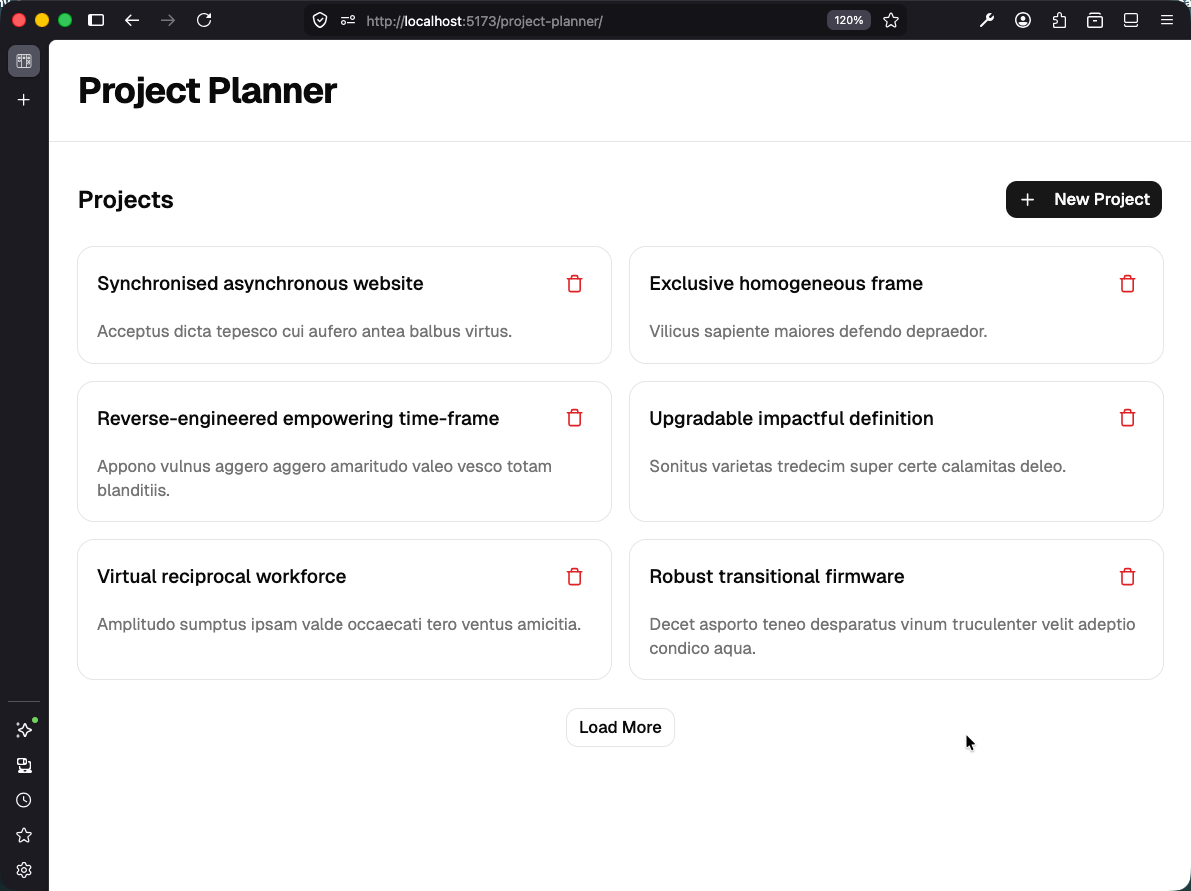
Now open your app. The project list shows the first 6 projects with a Load More button at the bottom. Click it to load the next batch, and keep clicking to work through all 50 projects.
Checkpoint: Commit your progress.
git add .
git commit -m "planner-15: Add Faker.js seed script for testing pagination"
git push