Display Products with useQuery
Now let’s use TanStack Query. The useQuery hook takes a query key, which TanStack Query uses for caching, and a query function, which fetches the data. It returns the current state of the request.
Update the home page
Replace the contents of src/routes/index.tsx with:
import { createFileRoute, Link } from "@tanstack/react-router";
import { useQuery } from "@tanstack/react-query";
import { fetchProducts } from "@/api/products";
import {
  Card,
  CardContent,
  CardFooter,
  CardHeader,
  CardTitle,
} from "@/components/ui/card";

export const Route = createFileRoute("/")({
  component: HomePage,
});

function HomePage() {
  const {
    data: products,
    isPending,
    isError,
    error,
  } = useQuery({
    queryKey: ["products"],
    queryFn: fetchProducts,
  });

  if (isPending) {
    return <p className="text-muted-foreground">Loading products...</p>;
  }

  if (isError) {
    return <p className="text-destructive">Error: {error.message}</p>;
  }

  return (
    <div>
      <h1 className="mb-6 text-3xl font-bold">Products</h1>
      <div className="grid gap-4 sm:grid-cols-2 lg:grid-cols-3 xl:grid-cols-4">
        {products.map((product) => (
          <Link
            key={product.id}
            to="/products/$productId"
            params={{ productId: String(product.id) }}
          >
            <Card className="h-full transition-shadow hover:shadow-md">
              <CardHeader className="p-4">
                <img
                  src={product.thumbnail}
                  alt={product.title}
                  className="h-48 w-full rounded object-contain"
                />
              </CardHeader>
              <CardContent className="flex-1 p-4 pt-0">
                <CardTitle className="text-sm">{product.title}</CardTitle>
                <p className="mt-1 text-xs text-muted-foreground">
                  {product.category}
                </p>
              </CardContent>
              <CardFooter className="py-2 px-4">
                <p className="font-semibold">${product.price.toFixed(2)}</p>
              </CardFooter>
            </Card>
          </Link>
        ))}
      </div>
    </div>
  );
}
The useQuery hook returns an object. We use three of its properties here:
isPending:truewhile the data is being fetched for the first timeisError:trueif the fetch faileddata: the fetched data (available when the query succeeds)
We check isPending and isError first, then render the product grid. TypeScript narrows the type of data after those checks, so products is guaranteed to be Product[] when we reach the return.
The queryKey: ["products"] is a cache key. If another component calls useQuery with the same key, TanStack Query reuses the cached data instead of fetching again.
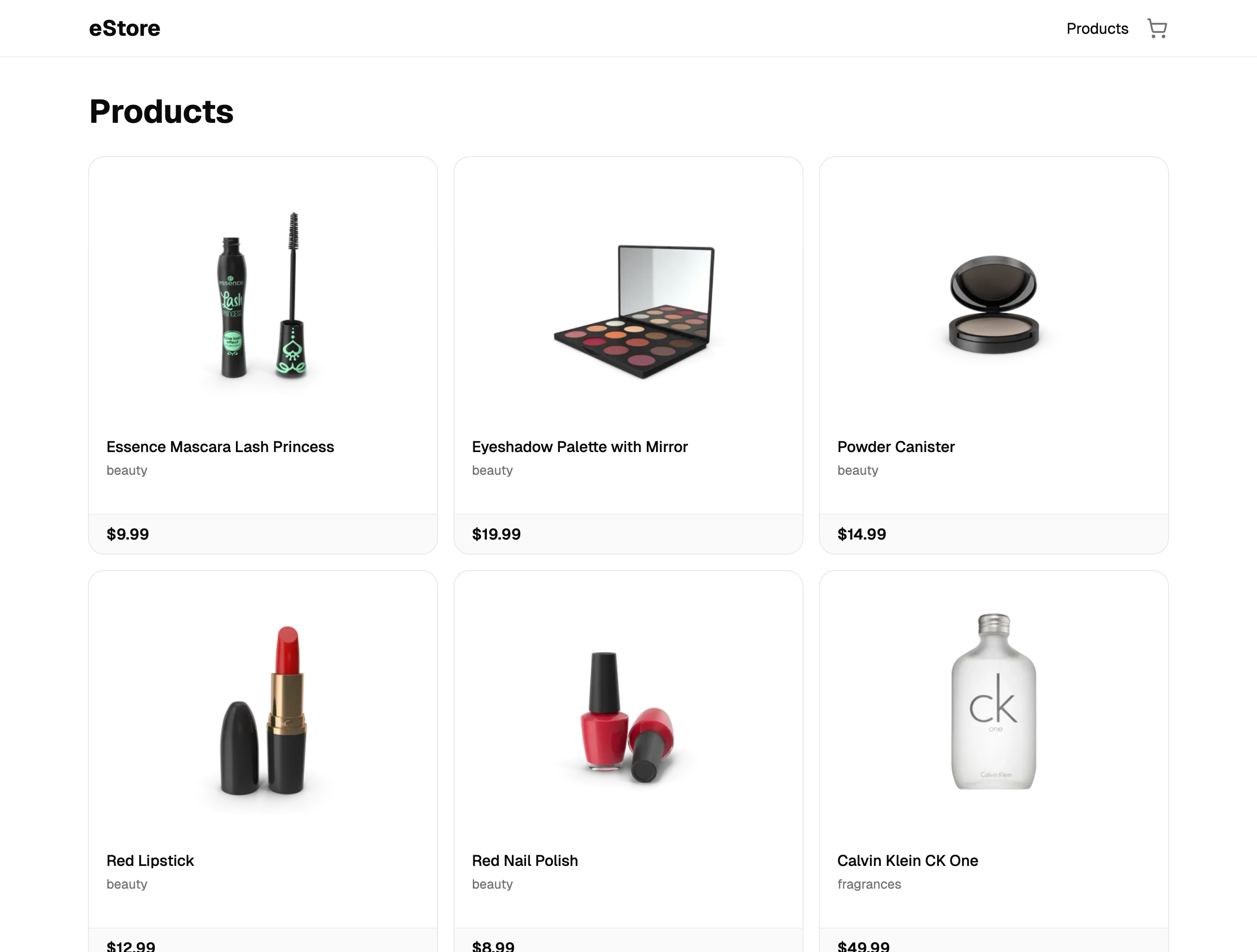
Checkpoint: Commit your progress.
git add .
git commit -m "shopping-cart-04: Display products with useQuery"
git push