Exploring the API with Postman
Let’s use Postman to explore the Open-Meteo API before writing any code. Postman is an API development environment. We use it to send requests to an API and look at the responses.
The Open-Meteo API
Open-Meteo is a free, open-source weather API. No API key is needed for non-commercial use. It splits weather lookups into two steps using separate endpoints:
- Geocoding (
geocoding-api.open-meteo.com) — given a city name, returns a location object withlatitudeandlongitudecoordinates. - Forecast (
api.open-meteo.com) — given latitude and longitude, returns weather data including current conditions.
This two-step design means we first search for a city to get its coordinates, then use those coordinates to get the weather.
Looking Up a City
Open Postman and click on the + button to create a new API request.
Enter the following request URL to search for “Baltimore” using the Geocoding endpoint:
https://geocoding-api.open-meteo.com/v1/search?name=Baltimore&count=1
The name parameter is the city to search for, and count=1 limits the results to a single match.
Click on the “Send” button to send the request. After a moment, you will see the response.
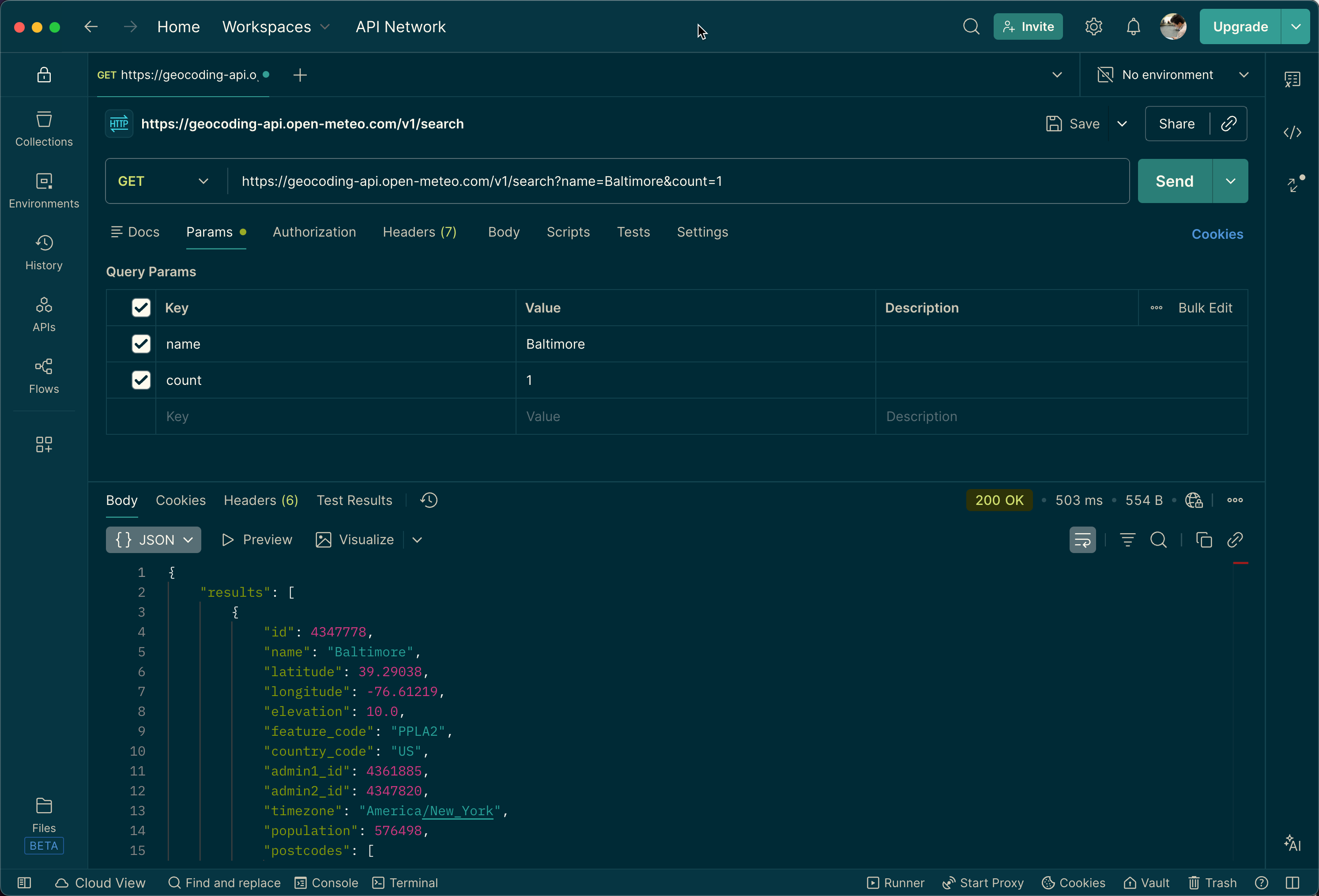
The response is in JSON format. It contains a results array with one object (since we set count=1). The location object includes several fields, but the ones we care about are:
name— the city name (e.g., “Baltimore”)latitude— the latitude coordinate (e.g.,39.29038)longitude— the longitude coordinate (e.g.,-76.61219)
We will use the latitude and longitude to retrieve weather data in the next step.
Retrieving Current Conditions
Recall the HTTP verbs from How the Web Works. Let’s make another GET request. Using the coordinates from the previous response, enter the following URL:
https://api.open-meteo.com/v1/forecast?latitude=39.29&longitude=-76.61¤t=temperature_2m,weather_code
The latitude and longitude parameters specify the location, and current=temperature_2m,weather_code tells the API to include the current temperature and weather code in the response.
Click the “Send” button. After a moment, you will see the response.
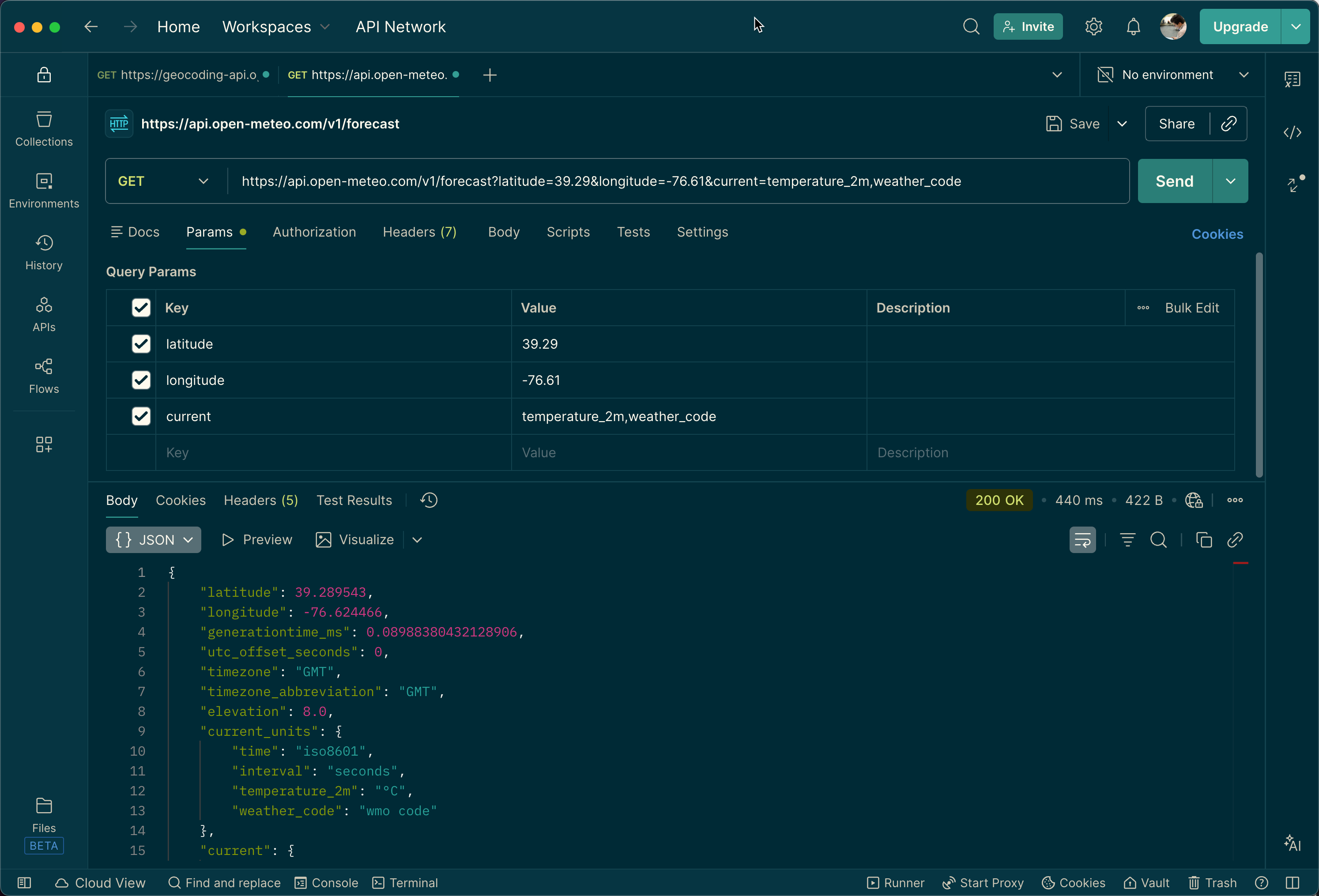
The response includes a current object with:
temperature_2m— the current temperature in Celsius (e.g.,8.5)weather_code— a numeric code representing the weather condition (e.g.,3for “Overcast”)
The weather codes follow the WMO standard. For example, 0 means clear sky, 1–3 represent increasing cloudiness, 61–65 represent rain, and 71–75 represent snowfall. We will map these codes to readable descriptions in our JavaScript code.