Fetching Location Data
Let’s implement the getLocation function to look up a city’s coordinates. We need to call the Open-Meteo API from JavaScript, so we will use the Fetch API.
The Fetch API
The Fetch API provides a JavaScript interface for making HTTP requests. The simplest usage looks like this:
fetch('/some/api/endpoint/')
  .then(response => response.json())
  .then(data => console.log(data))
  .catch(err => console.log(err))
Calling fetch() returns a Promise. We can wait for the promise to resolve, and once it does, the response is available inside the .then() method. fetch() retrieves resources asynchronously across the network.
We will look at JavaScript’s asynchronous behavior in more detail later.
Implementing getLocation
Open src/main.js and add the following getLocation function:
function getLocation(city) {
  fetch(`${GEOCODING_URL}?name=${encodeURIComponent(city)}&count=1`)
    .then(response => response.json())
    .then(data => {
      const location = data.results[0];
      console.log(location);
    })
    .catch(err => console.log(err));
}
This function makes an HTTP GET request using the Fetch API. We use encodeURIComponent to safely encode the city name in the URL (handling spaces and special characters). The resulting data contains a results array of matching locations. We take the first result (data.results[0]).
Wiring Up the Event Listener
We have getLocation ready, but nothing calls it yet. Update getWeatherForecast to call getLocation instead of logging the city:
- console.log(city);
+ getLocation(city);
Next, add the following at the bottom of src/main.js to register getWeatherForecast as the handler for the form’s submit event:
document.getElementById("search").addEventListener("submit", getWeatherForecast);
Now when the user presses Enter, the form’s submit event fires and calls getWeatherForecast. That function reads the city name and passes it to getLocation.
Try the application by entering “Baltimore” as the city:
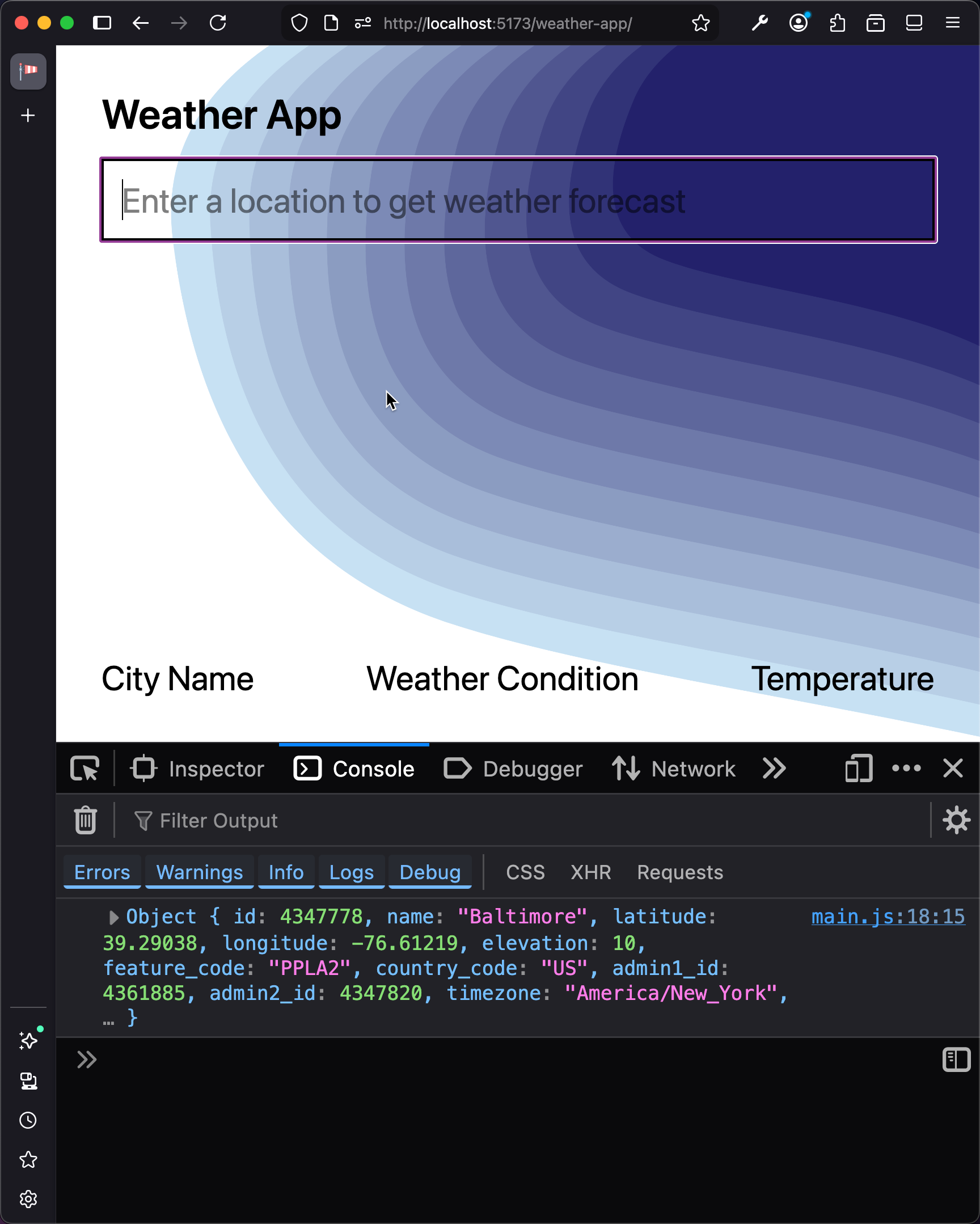
Now revisit getLocation and replace the console.log with a call to getCurrentWeather (which we will implement in the next section):
-   console.log(location);
+   getCurrentWeather(location);
Checkpoint: Commit your progress.
git add .
git commit -m "weather-01: Implement getLocation and wire up event listener"
git push