Product Detail Page
Each product card links to /products/$productId. Let’s build that page using useQuery with the product ID from the route params.
Update the product detail route
Replace the contents of src/routes/products.$productId.tsx with:
import { createFileRoute, Link } from "@tanstack/react-router";
import { useQuery } from "@tanstack/react-query";
import { fetchProduct } from "@/api/products";
import { Button } from "@/components/ui/button";
import { Badge } from "@/components/ui/badge";
import { ArrowLeft } from "lucide-react";

export const Route = createFileRoute("/products/$productId")({
  component: ProductPage,
});

function ProductPage() {
  const { productId } = Route.useParams();
  const parsedProductId = Number(productId);
  const isInvalidProductId = Number.isNaN(parsedProductId);

  const {
    data: product,
    isPending,
    isError,
    error,
  } = useQuery({
    queryKey: ["product", productId],
    queryFn: () => fetchProduct(parsedProductId),
    enabled: !isInvalidProductId,
  });

  if (isInvalidProductId) {
    return <p className="text-destructive">Invalid product ID.</p>;
  }

  if (isPending) {
    return <p className="text-muted-foreground">Loading product...</p>;
  }

  if (isError) {
    return <p className="text-destructive">Error: {error.message}</p>;
  }

  return (
    <div>
      <Link
        to="/"
        className="mb-6 inline-flex items-center gap-1 text-sm text-muted-foreground hover:text-foreground"
      >
        <ArrowLeft className="h-4 w-4" />
        Back to products
      </Link>

      <div className="mt-4 grid gap-8 md:grid-cols-2">
        <img
          src={product.images[0] ?? product.thumbnail}
          alt={product.title}
          className="w-full rounded-lg object-contain"
        />

        <div>
          <Badge variant="secondary">{product.category}</Badge>
          <h1 className="mt-2 text-3xl font-bold">{product.title}</h1>
          <p className="mt-2 text-2xl font-semibold">
            ${product.price.toFixed(2)}
          </p>
          <p className="mt-1 text-sm text-muted-foreground">
            Rating: {product.rating} / 5
          </p>
          <p className="mt-4 text-muted-foreground">{product.description}</p>
          <Button className="mt-6" size="lg">
            Add to Cart
          </Button>
        </div>
      </div>
    </div>
  );
}
The query key is ["product", productId]. It includes the product ID so TanStack Query caches each product separately. When you navigate to a product you have already viewed, the data comes from the cache instead of a new request.
We also parse the route param once and use enabled to stop TanStack Query from fetching when the URL contains an invalid product ID. That avoids requests like /products/NaN and gives the user a clearer error message.
The “Add to Cart” button does not do anything yet. We will wire it up after we set up the cart state.
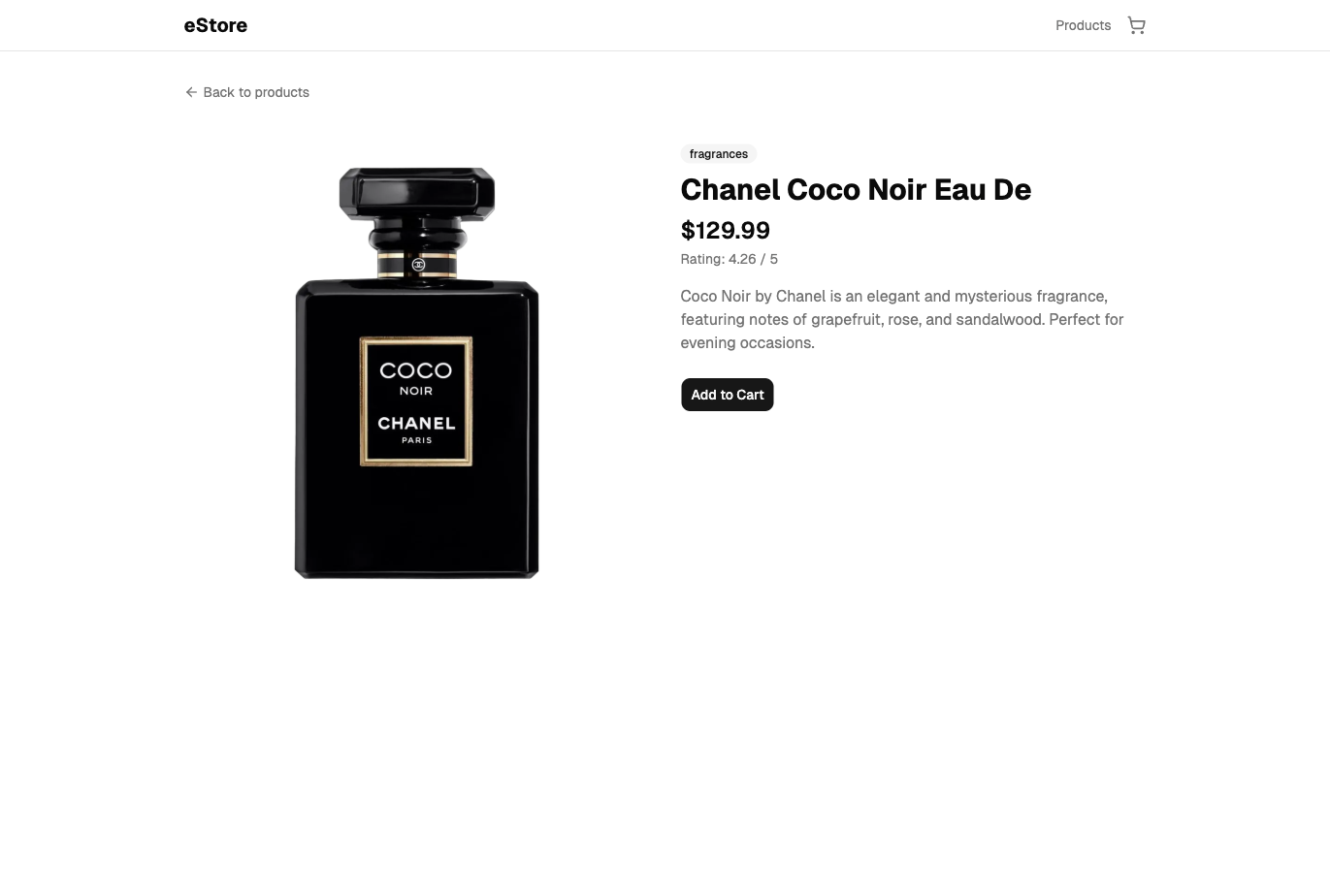
Checkpoint: Commit your progress.
git add .
git commit -m "shopping-cart-05: Product detail page with useQuery"
git push